
Disclosure: AI Tricks is reader-supported. This guide contains an affiliate link to DomoAI. If you sign up through our link, we may earn a commission at no extra cost to you. It does not change our review or the price you pay.
Making an anime video used to mean drawing frame by frame, or hiring an animator. DomoAI changes that. You upload a photo, type a prompt, or drop in a short clip — and DomoAI turns it into a moving, stylized video. Your character keeps the same face and outfit from scene to scene. Your character can even sing or speak, with lips that match the audio.
DomoAI is not a general video editor. It is a video generator with a clear focus: anime and stylized content. Its model library, its styles, and its tools are all built around that. It is the tool you pick when the look matters as much as the motion — when you want a shounen action scene, a soft shoujo moment, or an idol-pop music video, not a plain realistic clip.
In this guide, we explain what DomoAI is, its key features, the real pricing, and how to use it step by step. We also compare it with Kling, Hailuo AI, and Runway, so you can see which tool fits your work. Prices change often, so always check the official DomoAI pricing page before you buy.

In This Guide
- 1. What is DomoAI?
- Key Features
- DomoAI Pricing
- How to Use DomoAI
- DomoAI vs Alternatives
- Pros and Cons
- Who Should Use DomoAI
- Frequently Asked Questions
- Final Thoughts
What is DomoAI?
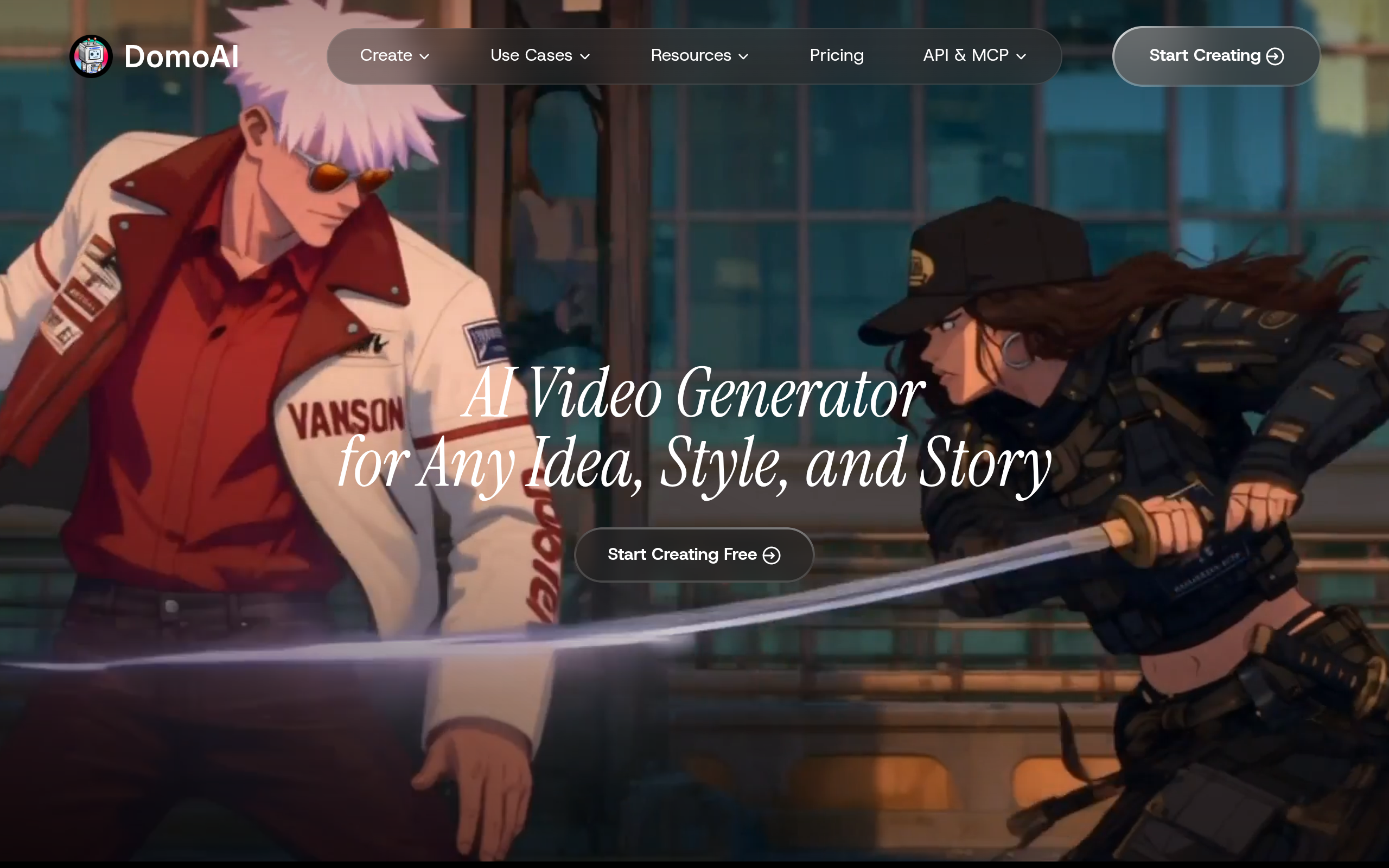
DomoAI is an online AI video generator and animation studio at domoai.app. Its home page says it best: "AI Video Generator for Any Idea, Style, and Story." You turn text, images, or footage into finished video — you animate a still image, restyle a real clip into anime, connect keyframes, and add talking avatars, all in minutes, in your browser.
DomoAI says more than 5 million creators use it, and its Discord community is one of the largest AI video servers in the world. That matters, because a big community means more shared styles, more templates to remix, and more examples to learn from. You can browse viral creations from other users and remix any style with your own content.
Most AI video tools try to do everything. DomoAI picks a lane: stylized video. Its Video to Video tool has 20 plus anime style models, from shounen action to soft shoujo to idol pop. Its Image to Video engine runs on Seedance, which is built for cinematic motion — slow camera pushes, dynamic movement, and atmosphere. And its Talking Avatar is a dedicated lip-sync tool: you upload a character image, attach an audio file, and the character sings or speaks with matching lips.
What can you make with it? Anime music videos, stylized shorts, character animations, talking avatar clips, product videos with an artistic look, and social posts that stand out because they do not look like everyone else's realistic AI clips. It is built for short-form clips: you make scenes of a few seconds to about a minute, then stitch them together in an editor like CapCut or Premiere Pro.
DomoAI is made for creators who love the anime and stylized look: anime music video makers, VTubers, TikTok and YouTube Shorts creators, indie musicians who need a music video, and small teams who want a distinct visual style without hiring an animation studio. If you want plain realistic video of a person talking to a camera, a tool like HeyGen or Runway may fit better. If you want your character to sing in an anime world, DomoAI is built for that.
DomoAI also works through Discord, where it started, and it now has an API and MCP access for developers who want to call its models from their own apps. For most users, though, the web studio at domoai.app is where the work happens.
Key Features
DomoAI packs a lot into one studio. Here are the features that matter most.
1. Video to Video: turn real footage into anime
This is the feature DomoAI is known for. You upload a real video — yourself dancing, a friend walking, a product shot — and DomoAI restyles it into anime or another artistic style while keeping the original motion and structure. The library has 20 plus anime styles, from shounen action to soft shoujo to idol pop aesthetics. Clips run 3, 5, or 10 seconds, with 20 and 30 second options on the faster paid mode. If you film yourself and want to become an anime character, this is the tool.
2. Image to Video with cinematic motion
Upload a still image and DomoAI animates it. The engine is Seedance 2.0 and Seedance 2.5, which are built for cinematic motion: slow camera pushes, dynamic movement, and atmosphere. You can also use the Fusion model to mix visual styles — for example, anime characters in a cinematic real-world scene. Advanced clips run 5 or 10 seconds, and a faster mode is there when you want a quick test.
3. Talking Avatar with real lip sync
Talking Avatar is the only dedicated lip-sync tool in DomoAI's set. You upload a character image, attach an MP3 or a song, or use the built-in text-to-speech with emotion tags — happy, sad, excited — and DomoAI makes a clip where the character sings or speaks with matching lips. Clips come in 5, 10, and 20 second lengths, and 30 and 60 seconds on the Pro plan. This is what makes anime music videos and VTuber-style content possible: the character does not just move, it performs.
4. Character to Video: the same character in every scene
Character consistency is the hardest problem in AI video. DomoAI attacks it with Character to Video: you upload 1 to 9 reference images of your character, and the model locks in their face, outfit, and style across scenes. The image work runs on Nano Banana Pro and GPT Image 2, with output up to 4K. Clips run 5 or 10 seconds, with 20 and 30 second options on Pro. If your story needs the same hero in ten different shots, this is the feature that makes it work.
5. Text to Video for scenes from scratch
Type a prompt and DomoAI generates a clip from nothing. You pick the style, the length, and the model — including Seedance 2.5, which takes up to 50 references in one prompt and can use 30 seconds of them, and MiniMax H3, which generates sound with the picture: dialogue, effects, and room tone. Advanced text-to-video clips run 5 or 10 seconds. It is the fastest way to test an idea before you spend credits on a longer scene.
6. 70 plus models in one place
DomoAI says it gives you access to 70 plus AI video models. The list on its pricing page includes its own DomoAI 2.5 and 2.4.1, Kling 4.0, MiniMax H3, Seedance 2.5 and 2.0, GPT Image 2.6, 2.5 and 2, and Nano Banana 2.1, 2, and Pro. You do not need separate accounts for each model, and you do not need to learn which one is best for every shot — you pick the tool and the style, and DomoAI routes the work. That single subscription replaces several tool subscriptions.
7. Relax Mode: unlimited generations on paid plans
Relax Mode is DomoAI's answer to the credit meter. On the Standard and Pro plans, Relax Mode lets you generate unlimited eligible clips without spending credits — it just takes longer, because your jobs wait in a slower queue. For creators who make 30 or more clips per project, that changes the maths completely: you can iterate, test, and retake without watching a credit balance fall. Fast Mode still uses credits when you need a result now.
8. Video and image upscaling to 4K and 6K
Finished clips can be upscaled to 4K video, and images to 6K. That matters when your source is a phone video or a small AI image and your final post needs to look sharp on a big screen. The upscaler is a separate tool in the studio, so you can improve old footage as well as new generations.
9. Background remover and smart editing tools
DomoAI includes a background remover, background replacement, and motion control tools, so you can cut a character out of a scene and put them somewhere else, or fix the movement in a clip. These are the small tools that save hours: instead of opening a second app for every fix, you do it in the same studio.
10. Templates and community remixes
DomoAI has 50 plus style templates and a community feed of viral creations. You can browse what other creators made, pick a style you like, and remix it with your own image or video. For beginners, this is the fastest way to learn: you start from something that already works, then change it step by step.
DomoAI Pricing
DomoAI uses credits. Every generation costs credits, and the cost depends on the model, the length of the clip, and the resolution. Each plan gives you a set number of credits per month. There are two prices for each plan: the monthly price, and a lower price if you pay yearly — DomoAI says yearly billing saves 30 percent or more.
Here is the pricing as listed on DomoAI's official pricing page on 13 November 2026. Prices change often, so check the official DomoAI pricing page before you buy.
| Plan | Price per Month | Credits per Month | Relax Mode | Best For |
|---|---|---|---|---|
| Free | $0 | Starter credits to test the tools | No | Trying DomoAI first |
| Basic | $13 per month, or $9 per month billed yearly | 600 (about 150 images or 85 videos) | No | Occasional anime clips |
| Standard | $42 per month, or $29 per month billed yearly | 2,200 (about 550 images or 314 videos) | Yes, unlimited on supported models | Regular creators and music videos |
| Pro | $142 per month, or $99 per month billed yearly | 8,000 (about 2,000 images or 1,142 videos) | Yes, unlimited on supported models | Heavy creators and studios |
| Team | $142 per seat per month, or $99 per seat billed yearly | 24,000 shared across the team | Yes, unlimited on supported models | Teams sharing one workspace |
Free plan: Yes, DomoAI has a free plan. You get starter credits so you can test the tools, and you do not need a credit card to start. DomoAI does not publish how many starter credits the free plan gives on its pricing page; independent reviews report 15 trial credits. The free plan is for testing, not for regular work — once the credits run out, you need a paid plan.
Basic ($13 a month, or $9 a month billed yearly): You get 600 credits a month, which DomoAI estimates as about 150 images or 85 videos. You unlock 50 plus style templates, Character to Video at 5 and 10 seconds, Talking Avatar at 5, 10, and 20 seconds, 4K video and 6K image upscaling, and up to 8 generation tasks at once. Exports have no watermark. This is the plan for trying DomoAI seriously for a month.
Standard ($42 a month, or $29 a month billed yearly): You get 2,200 credits a month — about 550 images or 314 videos — plus unlimited Relax generations on supported models. That unlimited Relax Mode is the reason to pick Standard: you can generate as many test clips as you want at the slower speed, and save your credits for final renders. You also get up to 12 tasks at once. This is the best plan for most creators, and the one we recommend if you make videos every week.
Pro ($142 a month, or $99 a month billed yearly): You get 8,000 credits a month — about 2,000 images or 1,142 videos — plus unlimited Relax generations, extended Character to Video at 20 and 30 seconds, Talking Avatar up to 60 seconds, up to 20 tasks at once, and priority support. Pro is marked as the most popular plan on the pricing page. It fits creators who publish daily, studios, and anyone making long talking-avatar videos.
Team ($142 per seat a month, or $99 per seat billed yearly): You get 24,000 credits shared across the team, a dedicated team workspace, a shared credit balance, and up to 32 tasks per workspace. Everything in Pro is included. This is for small studios and teams who create together.
Three things to know before you pay: First, subscription credits expire at the end of each billing cycle — unused credits do not roll over to next month, according to independent reviews of DomoAI's terms. Second, if you run out of credits, you can buy extra credits any time, but paid credit top-ups need an active subscription first. Third, the per-video estimates on the pricing page are rough guides — the real cost of a clip depends on the model, the length, and the resolution you pick, so check the credit cost shown before you generate.
A note on the numbers: DomoAI's pricing page shows the yearly-billed price first, with the monthly price crossed out next to it. The figures above give you both. Some older DomoAI blog posts and reviews show different, lower prices — for example $19.59 a month for Standard and $48.99 for Pro — those are out of date. Always confirm the current price on the official DomoAI pricing page before you subscribe.
How to Use DomoAI
Using DomoAI is simple: you pick a tool, add your starting material, and generate. Here is the full flow, step by step.
- Sign up and open the studio. Go to DomoAI and create a free account. You do not need a credit card. You land in the web studio, where every tool is listed.
- Pick the tool that fits your idea. Want to animate a photo? Choose Image to Video. Want to turn yourself into anime? Choose Video to Video. Want a character to sing? Choose Talking Avatar. Want the same character in many scenes? Choose Character to Video. Each tool asks for different inputs, so picking the right one first saves credits.
- Add your starting material. Upload an image, a video, or an audio file, or type a text prompt. For Character to Video, upload 1 to 9 reference images of your character. For Talking Avatar, attach an MP3 or a song, or type the script and let the built-in text-to-speech read it.
- Choose the style and the model. Pick an anime style from the 50 plus templates, or mix styles with the Fusion model. For image work, Nano Banana Pro and GPT Image 2 give you the sharpest character consistency. For motion, Seedance 2.5 gives you cinematic movement. For sound with the picture, MiniMax H3 adds dialogue and effects.
- Check the credit cost, then generate. DomoAI shows you what the job will cost before it runs. On a paid plan, use Relax Mode for test clips — it is free in credits and only slower. Use Fast Mode when you need the final clip now.
- Review the clip and fix what is wrong. Watch the result. If the face changed or the motion is wrong, change the prompt, add a reference image, or try a different model. Anime music videos are made of many short clips, so expect to generate several takes and keep the best ones.
- Upscale the clips you keep. Run your best clips through the video upscaler to 4K so they look sharp on YouTube and TikTok.
- Stitch the clips together and add music. DomoAI does not mix background music into the final video file, so you add your track in an editor like CapCut or Premiere Pro. That is also where you add your titles, cuts, and effects.
- Post it anywhere. All content you create with DomoAI can be used commercially, including marketing videos, social media content, advertisements, and client projects. You own the rights to what you generate.
Tip for your first project: start on the free starter credits and make one short clip end to end — for example, a 5 second Image to Video clip of your character. Check the lip sync, the face, and the style. Only then decide whether Standard at $29 a month billed yearly is worth it for you. And if you plan to make an anime music video, budget for many takes: a 3 minute video can need 40 to 60 clips, and Relax Mode on Standard is what makes that affordable.
DomoAI vs Alternatives
DomoAI is not the only AI video tool. Here is how it compares with the three closest alternatives: Kling for realistic video with the same models, Hailuo AI for MiniMax's own video app, and Runway for hands-on shot control. Prices below are from October and November 2026 checks of each tool's official pricing page — always confirm the current price on the official site before you buy.
| Tool | Best For | Free Plan | Paid From | Standout Feature |
|---|---|---|---|---|
| DomoAI | Anime and stylized video, talking avatars | Yes, starter credits | $13 per month | 20 plus anime styles, character lock, Relax Mode |
| Kling | Realistic video with sound, direct model access | Yes, small free allowance | $8.80 per month | Kling 4.0 with native audio, 4K video |
| Hailuo AI | MiniMax H3 video with sound | Yes, one-time trial credits only | $10.50 per month | MiniMax H3 at 2K, Veo 3.1 access |
| Runway | Hands-on control of each shot | Yes, 125 one-time credits | $15 per month | Best realistic text-to-video models |
Choose DomoAI if you want anime and stylized video, a talking avatar that lip-syncs to your audio, and one subscription that covers 70 plus models — including Kling 4.0 and MiniMax H3 inside it. Choose Kling if you want direct access to Kling's own models at the lowest price, and you mainly make realistic video — Standard is $8.80 a month for 660 credits. Choose Hailuo AI if you only need MiniMax H3 and you want its per-second pricing, with Veo 3.1 access as well. Choose Runway if you want hands-on control of each shot and the most realistic text-to-video models, and you are happy to assemble the video yourself.
One thing worth knowing: DomoAI already includes Kling 4.0 and MiniMax H3 as models inside its own studio. So if you subscribe to DomoAI, you are partly paying for access to the same models Kling and Hailuo sell directly — plus the anime styles, the talking avatar, and the character tools they do not have. That is the trade: DomoAI costs more per month than Kling Standard, but it does more kinds of work.
Pros and Cons
Pros
- Best anime and stylized video focus — 20 plus anime styles, built for music videos and character clips.
- Talking Avatar with real lip sync — the character sings or speaks to your audio file.
- Character to Video locks the same face and outfit across scenes, with 4K output.
- 70 plus models in one subscription, including Seedance 2.5, MiniMax H3, Kling 4.0, and GPT Image 2.
- Relax Mode gives unlimited eligible generations on Standard and Pro — no credit meter while you iterate.
- Video upscaling to 4K and image upscaling to 6K built in.
- Free plan with starter credits and no credit card needed to try it.
- All generated content can be used commercially, including ads and client work.
- Big community: 5 million plus creators and a huge Discord server with shared styles and templates.
- Paid plans export without a watermark.
Cons
- Credit costs are hard to predict — the price of a clip depends on the model, length, and resolution, so you only see the real cost before each generation.
- Subscription credits expire at the end of each billing cycle — nothing carries over, according to independent reviews.
- Credit top-ups need an active subscription first — you cannot just buy credits without a plan.
- The free plan is small — independent reviews report 15 trial credits, so it is a test, not a tool for regular use.
- Background music is not mixed into the final video — you add your track in a separate editor.
- Short clips only — most tools top out at 10 to 30 seconds per clip, so longer videos mean stitching many clips together.
- It is built for stylized video — if you want plain realistic presenter videos, other tools fit better.
- A newer tool, so there is less tutorial content than CapCut or Runway.
Who Should Use DomoAI
DomoAI is best for: anime music video makers who need many stylized clips with the same character; VTubers and creators who want a talking avatar that sings or speaks; TikTok and YouTube Shorts creators who want a look that stands out from realistic AI video; indie musicians who need a music video without an animation studio; and small teams who want one subscription covering 70 plus models instead of five separate ones.
Skip DomoAI if: you mainly need realistic presenter or avatar videos in many languages — HeyGen is stronger there. Skip it if you need long, finished videos from one prompt — DomoAI makes short clips you stitch together. Skip it if you only need one model, like Kling 4.0 — buying Kling directly is cheaper. And skip it if your budget is zero and you need a lot of free video — the free starter credits run out fast, and Relax Mode needs a paid plan.
Our take: DomoAI gets its niche right. The anime styles are real, the character lock solves a genuine problem, and the talking avatar with lip sync is something most video tools do not offer at all. Relax Mode is the feature that makes it affordable for music video makers, who need dozens of takes. For a creator who lives in the anime and stylized world, it is one of the most complete options available. Just test it on the free credits first, make one real clip, and only then commit to Standard.
Frequently Asked Questions
1. What is DomoAI?
DomoAI is an online AI video generator and animation studio at domoai.app. It turns text, images, or existing footage into anime, realistic, or artistic video clips, with tools for talking avatars, character consistency, lip sync, and upscaling to 4K.
2. Is DomoAI free?
Yes, DomoAI has a free plan with starter credits, and you do not need a credit card to try it. DomoAI does not publish how many starter credits the free plan gives; independent reviews report 15 trial credits. Regular use needs a paid plan once the credits run out.
3. How much does DomoAI cost?
Basic is $13 a month, or $9 a month billed yearly, for 600 credits. Standard is $42 a month, or $29 a month billed yearly, for 2,200 credits plus unlimited Relax generations. Pro is $142 a month, or $99 a month billed yearly, for 8,000 credits. Team is $142 per seat a month, or $99 per seat billed yearly, for 24,000 shared credits. Prices change often, so check the official pricing page before you buy.
4. What is Relax Mode?
Relax Mode lets you generate unlimited eligible clips without spending credits, on the Standard and Pro plans. It is slower, because your jobs wait in a slower queue. Fast Mode uses credits and gives you priority processing. Use Relax Mode for tests and retakes, and Fast Mode for final clips.
5. How long can a DomoAI video be?
DomoAI makes short clips. Most tools top out at 10 seconds per clip, with 20 and 30 second options on Pro for Character to Video and Video to Video, and Talking Avatar up to 60 seconds on Pro. Longer videos are made by stitching several clips together in an editor.
6. Does DomoAI add a watermark?
Paid plans export without a watermark. The free plan is for testing, so check the export of your test clip before you use it anywhere public.
7. Can I use DomoAI videos commercially?
Yes. DomoAI says all content you create with it can be used for commercial purposes, including marketing videos, social media content, advertisements, and client projects. You own the rights to your generated content.
8. What is Character to Video?
Character to Video keeps the same character across scenes. You upload 1 to 9 reference images of your character, and the model locks in their face, outfit, and style. It runs on Nano Banana Pro and GPT Image 2, with output up to 4K.
9. Does DomoAI add background music?
No. DomoAI does not mix background music into the final video file. You add your track in an editor like CapCut or Premiere Pro after you export the clips.
10. Which models does DomoAI use?
DomoAI lists 70 plus models, including its own DomoAI 2.5 and 2.4.1, Kling 4.0, MiniMax H3, Seedance 2.5 and 2.0, GPT Image 2.6, 2.5 and 2, and Nano Banana 2.1, 2, and Pro.
11. Do unused DomoAI credits carry over to next month?
No, according to independent reviews of DomoAI's terms. Subscription credits expire at the end of each billing cycle. Credit top-ups also need an active subscription first.
12. Who is DomoAI best for?
Anime music video makers, VTubers, TikTok and YouTube Shorts creators, indie musicians, and small teams who want stylized video with character consistency and lip sync — all in one subscription.
Related Guides


Final Thoughts
DomoAI is one of the most focused AI video tools of 2026 because it knows what it is for. Instead of trying to be every kind of video tool, it is the tool for anime and stylized video — with the styles, the character lock, and the lip sync to prove it. For creators who live in that world, that focus is worth more than a longer feature list.
It is not perfect. The credit system is hard to predict, unused credits vanish every month, and the free plan is small. The clips are short, so a music video means dozens of generations — and that only works because Relax Mode on Standard removes the credit meter while you iterate.
Our advice is simple: start free. Make one real clip on the starter credits — animate a photo of your character, or restyle a short video into anime. Check the face, the motion, and the style with fresh eyes. If it looks good enough to post, Standard at $29 a month billed yearly is fair, mostly because of Relax Mode. If you would rather work with one model directly, Kling or Hailuo will cost you less.
Either way, you now know exactly what DomoAI does, what it costs, and who it is for. Try the free plan, make one video, and decide from the result — not from the promise.