
Disclosure: AI Tricksly is reader-supported. This guide contains an affiliate link to NordVPN. If you sign up through our link, we may earn a commission at no extra cost to you. It does not change our review or the price you pay. The other VPNs in this guide are linked to their official sites without an affiliate link.
A VPN, or virtual private network, hides your real IP address and encrypts your internet traffic. That means your internet provider, the owner of a public Wi-Fi network, and the websites you visit cannot easily see what you do online. In 2026, that matters more than ever. People work from cafes and airports, travel with their laptop, stream shows from other countries, and get scam texts and phishing emails every week. A good VPN handles all of that in one app.
But not every VPN is worth your money. Some are slow. Some keep logs of what you do. Some sell your data. And almost every VPN advertises a low monthly price that only applies to the first two years — the renewal can cost two or three times as much. This guide compares the five VPNs that are actually worth buying in 2026, with real prices, real features, and honest drawbacks. We checked every price and feature on the official homepages and pricing pages on 13 November 2026, during the Black Friday sales, so the prices below are the live sale prices. They change often, so always check the final price at checkout before you pay.
 Get NordVPN — 78% Off + 3 Months Free →
How to Choose the Right VPN
Before you compare prices, check these six things. They decide whether a VPN is good or a waste of money.
1. A no-logs policy that is actually audited. Every VPN says "no logs". Only a few prove it. Look for an independent audit by a firm like Deloitte or PwC, and for RAM-only servers that wipe data on every restart. All five VPNs in this guide have an audited no-logs policy.
2. Speed and server size. A VPN always slows you down a little, because your traffic travels further and gets encrypted. The best VPNs use the WireGuard protocol (NordVPN calls its version NordLynx) and run 10 Gbps servers, so the slowdown is small. More servers in more countries also means you can always find a fast server near you.
3. How many devices it covers. Count your phone, laptop, tablet, TV, and your family's devices. Some VPNs cover 7 devices, some cover 10, and Surfshark covers unlimited devices on one account.
4. Streaming and travel. If you watch shows from other countries or travel a lot, pick a VPN with servers that work for streaming and with obfuscated servers for countries that block VPNs. NordVPN, ExpressVPN, and CyberGhost all label servers for streaming.
5. The price — and the renewal price. The headline price is always the first-term price on a 2-year plan. The renewal price is what you pay in year three. In this guide we list both, so there is no surprise later.
6. A free plan or a money-back guarantee. Only Proton VPN has a real free plan. The other four give you a 30-day money-back guarantee (CyberGhost gives 45 days), which works as a risk-free trial: pay, test it for a month, and ask for a refund if you do not like it.
In This Guide
- 1. How to Choose the Right VPN
- Best VPN Services at a Glance
- NordVPN — Best Overall
- Surfshark — Best Value for Families
- ExpressVPN — Easiest to Use
- Proton VPN — Best Free Plan
- CyberGhost — Cheapest Long-Term Plan
- Free vs Paid VPNs: Is a Free VPN Worth It?
- Common VPN Mistakes to Avoid
- Frequently Asked Questions
- Final Thoughts
Best VPN Services at a Glance
| VPN | Starting Price (2-Year Plan) | Devices | Servers | Free Plan or Trial | Best For |
|---|---|---|---|---|---|
| NordVPN | $3.49 a month | 10 | 7,000+ in 225+ locations | 7-day trial on Android, 30-day refund | Best overall: speed, privacy, and extras |
| Surfshark | $2.49 a month | Unlimited | 4,500+ in 100 countries | No free plan, 30-day refund | Best value for families and many devices |
| ExpressVPN | $2.99 a month | 10–14 | 3,000+ in 113 countries | 3-day trial on mobile, 30-day refund | Easiest to use, best for beginners |
| Proton VPN | $3.49 a month | 10 | 20,000+ in 140+ countries | Free plan, no data limits | Best free plan and strongest privacy |
| CyberGhost | $2.19 a month | 7 | 11,000+ in 100 countries | 24-hour trial on desktop, 45-day refund | Cheapest long-term plan, longest refund |
Prices are first-term prices on the longest plan, checked on the official pricing pages on 13 November 2026, during Black Friday sales. Taxes may apply at checkout, and prices change often.
Get NordVPN — 78% Off + 3 Months Free →
1. NordVPN
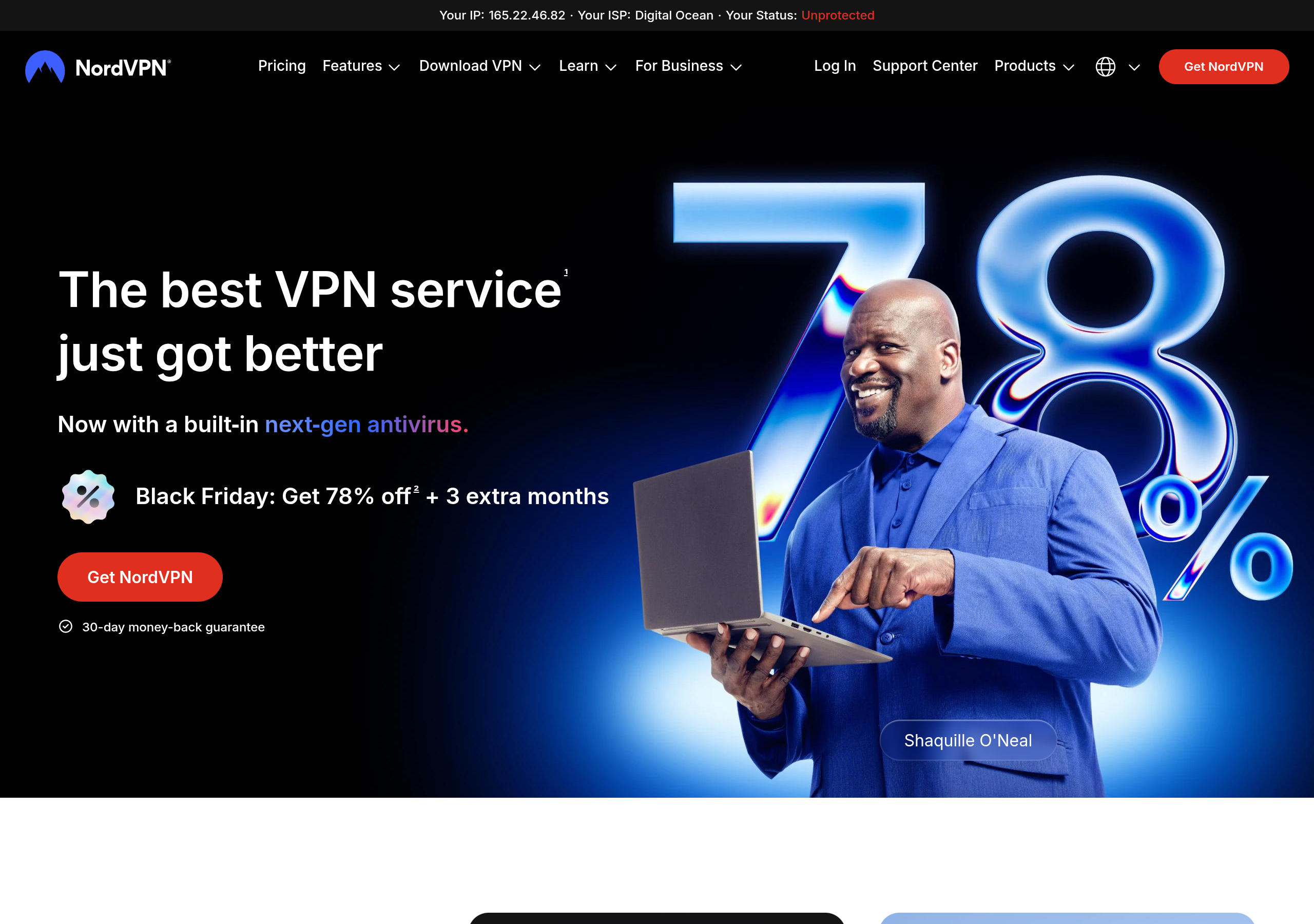
NordVPN is the best VPN in 2026 because it does everything well and nothing badly. It is fast, it is private, it works for streaming and travel, and it now includes a next-gen antivirus, scam protection, and dark web monitoring in the same app. It is based in Panama, outside the 5, 9, and 14 Eyes intelligence alliances, and its no-logs policy has been checked by independent auditors six times — by PwC in 2018 and 2020, and by Deloitte every year from 2022 to 2025, most recently in December 2025. Its servers run on RAM only, so no data is stored on a hard drive, and a restart wipes everything.
Speed is where NordVPN wins most comparisons. It runs its own WireGuard-based protocol, NordLynx, on 7,000+ servers in 225+ locations, and the servers run at 10 Gbps. In plain words: your videos load fast, your downloads stay fast, and video calls do not freeze. You can also pick specialty servers: Double VPN routes your traffic through two servers instead of one, Onion Over VPN routes it through the Tor network, and dedicated P2P servers handle file sharing. Meshnet lets you link your own devices together into a private network, which is handy for reaching your home computer while you travel.
The extras are what set NordVPN apart in 2026. Threat Protection Pro is a built-in next-gen antivirus: it scans downloads for malware, blocks trackers and intrusive ads, and warns you about scam and phishing sites before you open them. Dark Web Monitor watches the dark web and alerts you the moment your email or password shows up in a leak. On the Complete plan you also get NordPass, a cross-platform password manager, and 1 TB of encrypted cloud storage with NordLocker. On the Prime plan you get the full NordProtect package: Incogni removes your personal data from data brokers, and Coveron (US only) adds up to $1,000,000 in identity theft insurance and up to $100,000 in cyber extortion coverage, with a case manager who helps you recover. Forbes Advisor named NordVPN the Best VPN Provider of 2025.
NordVPN has three plans. Basic is the VPN only, with Threat Protection, for $3.49 a month on the 2-year plan ($94.23 for the first 27 months, including 3 extra months). Complete adds NordPass and 1 TB of encrypted storage for $3.99 a month ($107.73 for 27 months). Prime adds everything — Incogni, Dark Web Monitor Pro, credit monitoring, and the Coveron identity protection — for $6.99 a month ($188.73 for 27 months). On a 1-year plan the prices are $4.99, $5.99, and $8.99 a month. Every plan covers 10 devices at once and comes with a 30-day money-back guarantee. There is also a 7-day free trial on Android through Google Play, and new customers in some countries, including the US, can start a 7-day Prime trial on the website.
Anyone who wants one VPN that does everything — fast streaming, safe public Wi-Fi, travel, and protection from scams and phishing — without buying separate security apps.
No free plan. NordVPN is a paid-only service. You can try it free for 7 days on Android, or buy any plan and use the 30-day money-back guarantee as a risk-free trial.
- 7,000+ servers in 225+ locations, with 10 Gbps speeds and the fast NordLynx protocol
- Audited no-logs policy — six independent audits by PwC and Deloitte — and RAM-only servers
- Threat Protection Pro: next-gen antivirus, ad and tracker blocker, and scam and phishing protection
- Dark Web Monitor and, on Prime, Dark Web Monitor Pro for emails, phone, cards, and ID numbers
- Double VPN, Onion Over VPN, Meshnet, kill switch, and split tunneling
- 10 devices on one account, with apps for Windows, Mac, Linux, Android, iOS, smart TVs, and routers
- Complete plan adds NordPass and 1 TB encrypted storage; Prime adds Incogni and $1M identity theft coverage (US only)
- Go to NordVPN and pick a plan — Basic is enough for most people, Complete is the best value if you also need a password manager and cloud storage.
- Create your account and pay by card, PayPal, or crypto. Your subscription starts at once.
- Download the NordVPN app for your device — Windows, Mac, Android, iOS, Linux, or your smart TV — and log in.
- Press Quick Connect. NordVPN picks the fastest server near you. That is all you need for everyday browsing.
- For streaming or travel, pick a country from the server list. For extra privacy, pick a Double VPN or Onion Over VPN server from the specialty servers list.
- Turn on Threat Protection Pro in the app settings so scam sites, ads, and trackers are blocked even before they load.
There is no free plan, so you pay before you try — the 30-day refund is your safety net. The renewal price is much higher than the first-term price, so check the checkout total and set a reminder before renewal. The full antivirus is desktop only, and 10 devices is fewer than Surfshark's unlimited devices.
Get NordVPN — 78% Off + 3 Months Free →
Want every feature, price, and answer in one place? Read the full detail page: NordVPN — Full Details.
2. Surfshark
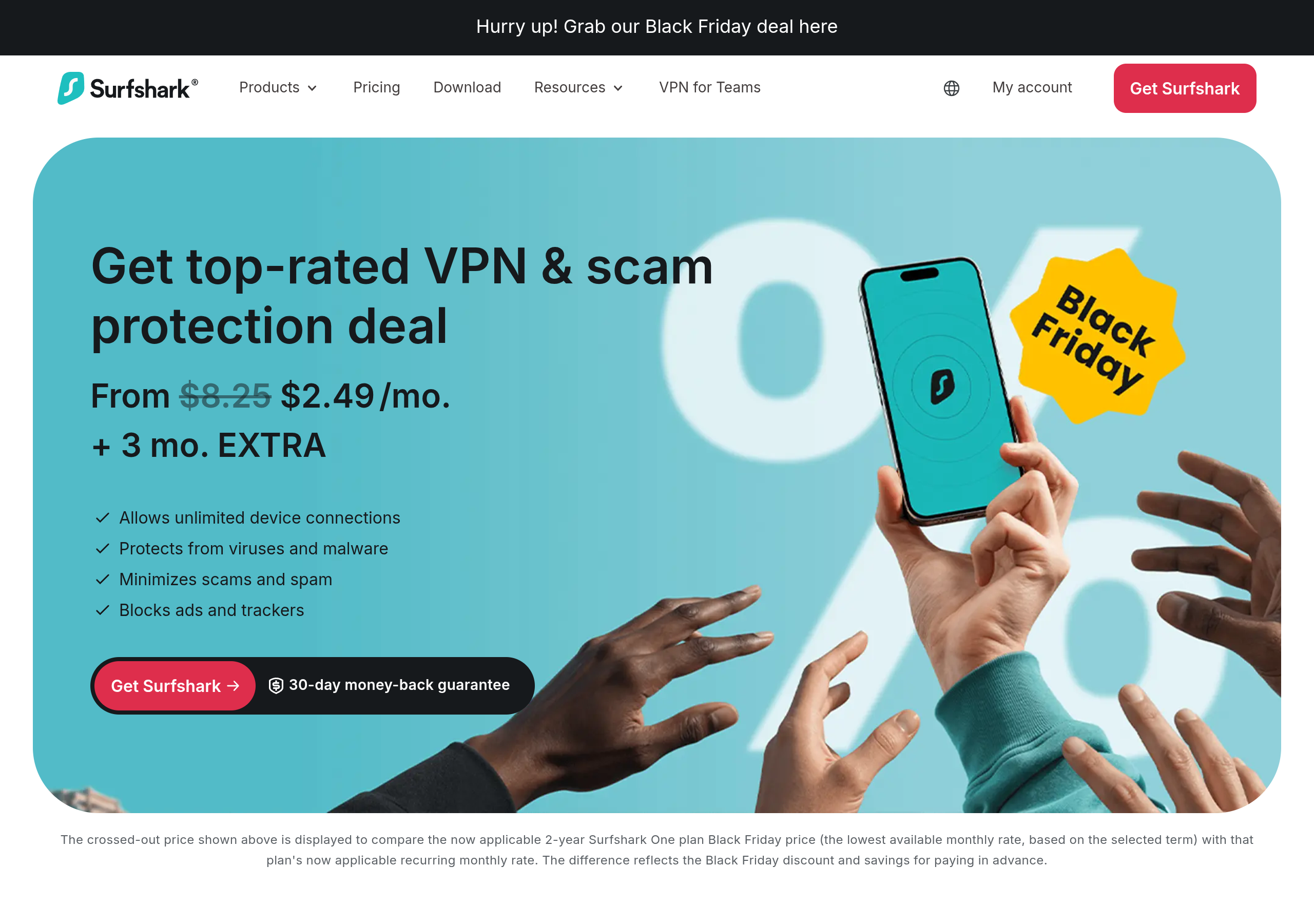
Surfshark is the best value VPN in this guide, and the best choice for a family. One account covers unlimited devices — your phone, your laptop, your tablet, your TV, and every device your family owns, all at the same time, with no extra charge. No other VPN in this guide does that. It has 4,500+ servers in 100 countries, all running at 10 Gbps, with RAM-only servers and an independently audited no-logs policy. TechRadar named it the #1 Best Value VPN of 2026, and its apps have been downloaded more than 50 million times.
Surfshark sells three bundles. Starter is the VPN only, with CleanWeb ad and tracker blocking and Alternative ID, which creates a masked email and persona for sites you do not fully trust. One adds antivirus, breach alerts, a private search tool, and scam protection. One+ adds Incogni data removal and identity theft coverage of up to $1 million for US customers. During the Black Friday sale, Starter and One both cost $2.49 a month on the 2-year plan ($67.23 for the first 27 months), and One+ costs $3.99 a month ($107.73 for 27 months). The catch is the renewal: after the first term, Starter renews at $79 a year, One at $99 a year, and One+ at $119 a year — roughly two and a half times the first-term price. The 1-year plans cost $2.99 a month, and month-to-month billing is $18.95 to $22.85, which is expensive. Every plan has a 30-day money-back guarantee.
Families and households with many devices, and anyone who wants the lowest price for a full-featured VPN with antivirus and scam protection included.
No free plan. Surfshark is a paid-only service. Every plan comes with a 30-day money-back guarantee, so you can test it for a month and get a full refund if you do not like it.
- Unlimited devices on one account — the only VPN in this guide with no device limit
- 4,500+ servers in 100 countries, with 10 Gbps speeds and the WireGuard protocol
- CleanWeb blocks ads, pop-ups, and trackers; MultiHop routes traffic through two servers; Bypasser is split tunneling
- Audited no-logs policy with 100% RAM-only servers
- Alternative ID creates a masked name, email, and address for untrusted sites
- One adds antivirus, data leak alerts, and scam protection; One+ adds Incogni and identity theft coverage (US only)
- Go to Surfshark and pick a plan — Starter is enough for VPN-only use; One is the best value during the Black Friday sale because it costs the same as Starter and adds antivirus.
- Create your account and pay. Your subscription starts at once.
- Download the Surfshark app for your device and log in.
- Press Quick Connect, or pick a country from the server list. Turn on CleanWeb in the settings to block ads and trackers.
The renewal price jumps to $79–$119 a year after the first term, so check the renewal line at checkout. The monthly plan is very expensive at $18.95 a month. Some identity features, like identity theft coverage, are for US customers only.
3. ExpressVPN
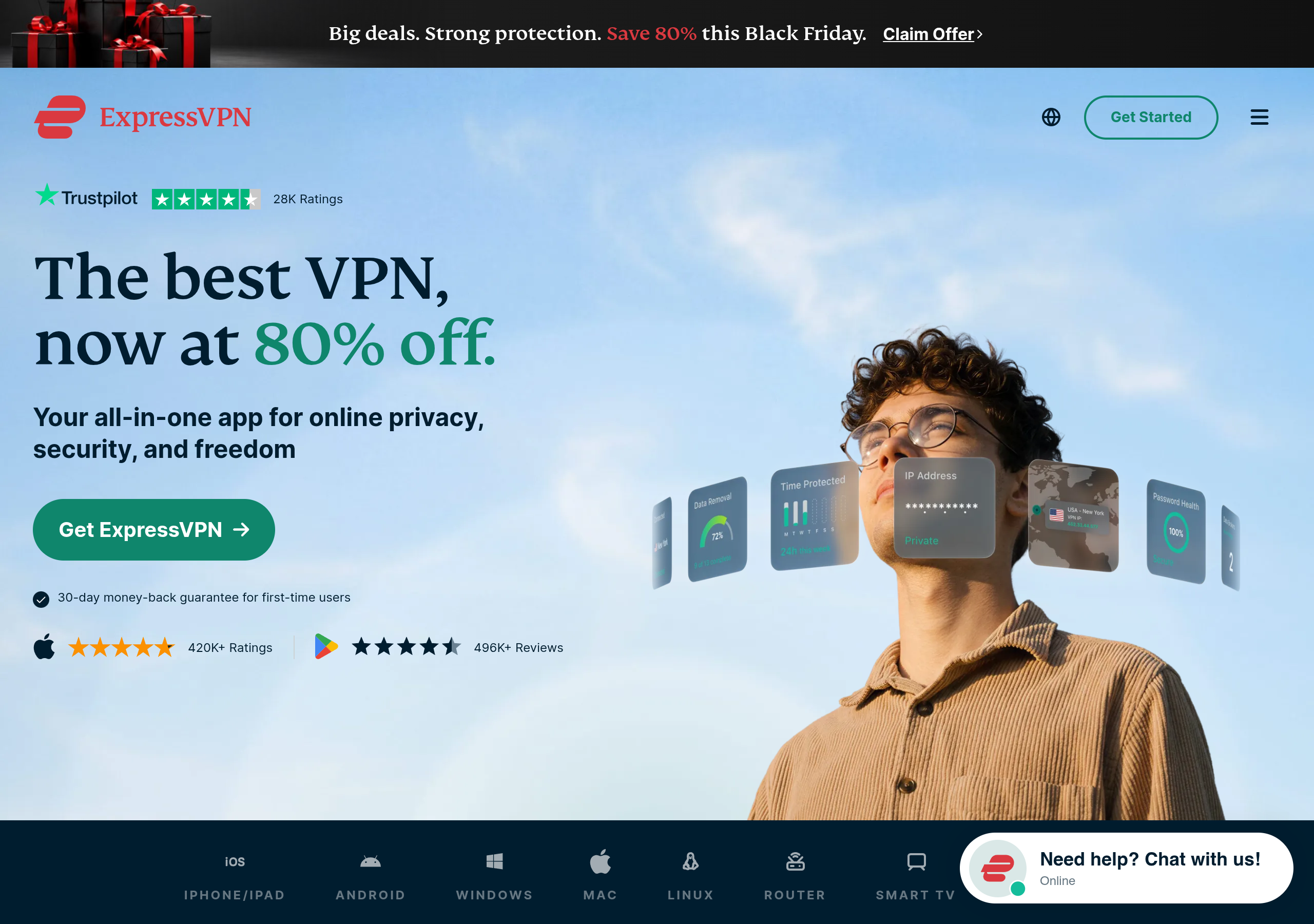
ExpressVPN is the easiest VPN in this guide to use. The apps look the same on every device, the big connect button is impossible to miss, and everything just works — no settings to learn, no server list to study. That is why it is the best choice for a beginner, or for anyone who wants a VPN that never needs thinking about. It is also one of the most trusted names in the industry: its no-logs policy is audited by independent firms, its TrustedServer technology runs everything on RAM so no data is ever written to a hard drive, and it has been rated by CNET, Tom's Guide, and others for years.
ExpressVPN now sells three tiers. Basic is the core VPN with ad, tracker, and malicious-site blocking, for $2.99 a month on the 2-year plan ($83.72 for the first 28 months, including 4 extra months) and 10 devices. Advanced adds a password manager and identity theft alerts for $4.49 a month ($125.72 for 28 months) and 12 devices. Pro adds a dedicated IP address for $7.49 a month ($209.72 for 28 months) and 14 devices. The renewal prices are much higher: Basic renews at $99.95 a year, Advanced at $119.95, and Pro at $199.95. Month-to-month billing starts at $12.99. Every plan has a 30-day money-back guarantee for first-time users, and the iOS and Android apps include a 3-day trial (a card is required). The network covers 113 countries, and the Lightway protocol keeps speeds high. It has more than 420,000 ratings on the App Store and more than 496,000 reviews on Google Play.
Beginners and anyone who wants the simplest VPN that just works — and for travellers who need a VPN on many different devices, from a phone to a router.
No free plan. ExpressVPN is a paid-only service. The iOS and Android apps include a 3-day trial (a card is required), and every plan has a 30-day money-back guarantee for first-time users.
- The simplest apps of any VPN here — one big button, the same design on every device
- Lightway protocol for fast speeds, and TrustedServer RAM-only technology
- Audited no-logs policy, AES-256 encryption, and Network Lock kill switch
- Servers in 113 countries, with apps for Windows, Mac, iOS, Android, Linux, routers, smart TVs, and game consoles
- Advanced Protection blocks ads, trackers, and malicious sites; Threat Manager blocks apps from talking to trackers
- 24-hour live chat support, every day of the year
- Go to ExpressVPN and pick a plan — Basic is enough for most people.
- Create your account and pay. Your subscription starts at once.
- Download the ExpressVPN app for your device and log in.
- Press the big connect button. ExpressVPN picks the fastest server for you. Pick a country from the list if you want a different location.
The renewal price is close to three times the first-term price — Basic renews at $99.95 a year, so set a reminder before renewal. There is no free plan, and the Basic plan has fewer extras than NordVPN or Surfshark at the same price. The 3-day mobile trial needs a card.
4. Proton VPN
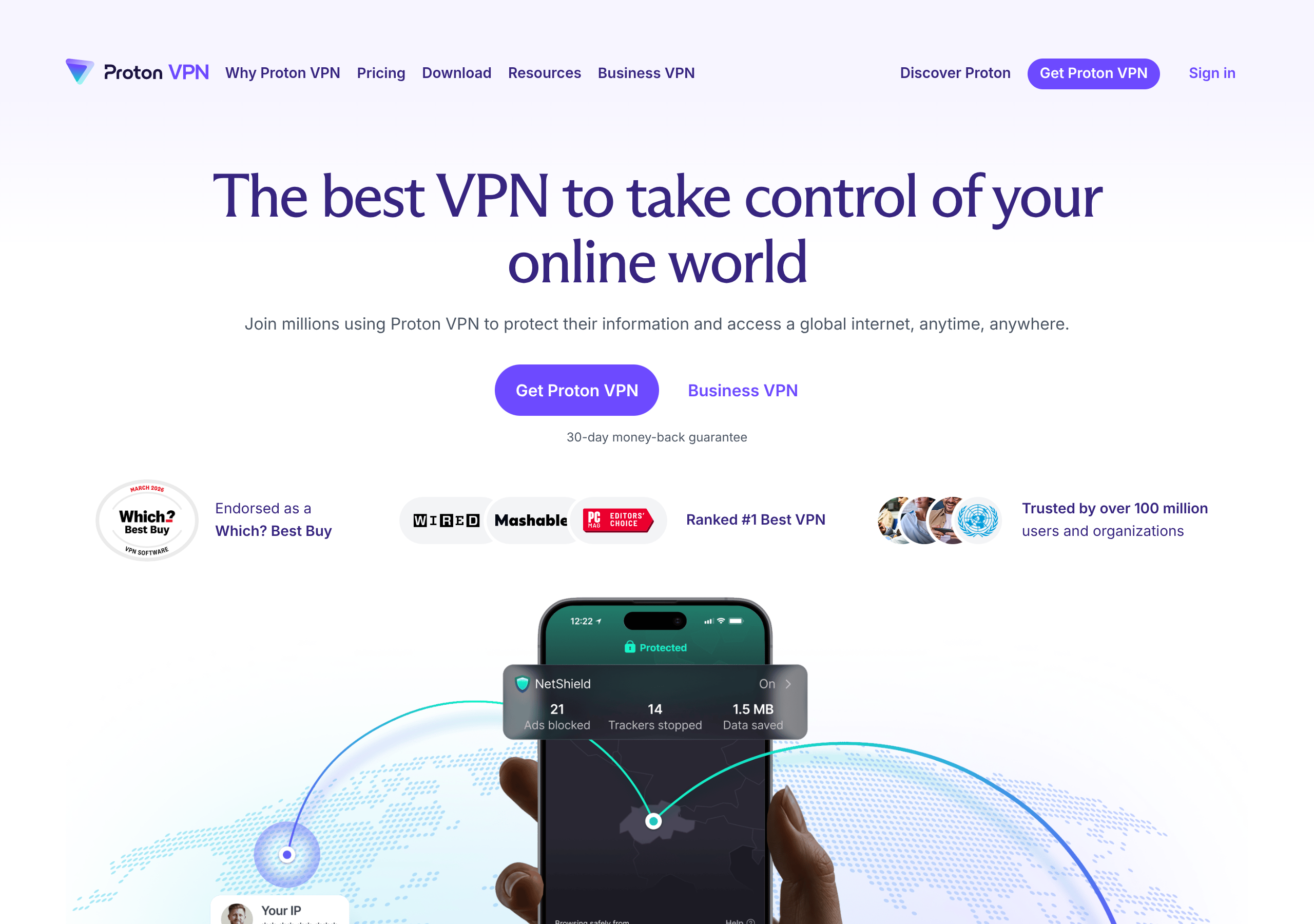
Proton VPN is the only VPN in this guide with a real free plan — free forever, with no data limits and no credit card required. It is also the most privacy-focused VPN here. It is based in Switzerland, which has some of the strongest data protection laws in the world. Its apps are 100% open source, so anyone can read the code, and its no-logs policy is independently audited. More than 100 million people trust Proton's products, which also include Proton Mail, Proton Drive, and Proton Pass.
The free plan covers 1 device at a time, with medium speed, and connects to servers in 10 countries picked at random. It has no data limits, no ads, and the same no-logs protection as the paid plans — but it does not include streaming, P2P, or the fastest speeds. VPN Plus is the paid plan: 20,000+ servers in 140+ countries, the highest speed, streaming, P2P, NetShield ad and malware blocking, Secure Core double-hop routing, and 10 devices at once. It costs $3.49 a month on the 2-year plan ($83.76 for 24 months) and renews at $83.88 a year. During the Black Friday sale, a 1-year offer is $2.99 a month ($35.88 for the first year). Month-to-month billing is $9.99. Proton Unlimited bundles the VPN with premium Mail, Drive, Pass, and Calendar for $7.99 a month on the 2-year plan. Every paid plan has a 30-day money-back guarantee.
Anyone who wants a VPN for free, and privacy-first users who want open-source apps, Swiss law, and a company that also makes encrypted email and cloud storage.
Yes — Proton VPN Free is free forever. It covers 1 device, with medium speed and servers in 10 countries picked at random. There are no data limits and no credit card is needed. Streaming, P2P, and the fastest speeds need the paid Plus plan.
- A real free plan: no data limits, no credit card, no ads — the only free plan in this guide
- 20,000+ servers in 140+ countries on paid plans, with the highest VPN speed
- Secure Core routes traffic through two privacy-friendly countries; NetShield blocks ads, trackers, and malware
- VPN Accelerator can speed up connections by up to 400% on distant servers
- 100% open-source apps, Swiss jurisdiction, and an audited no-logs policy
- Kill switch, split tunneling, and P2P support for safe file sharing
- Go to Proton VPN and create a free account — no credit card is needed for the free plan.
- Download the Proton VPN app for your device and log in.
- Press Quick Connect. On the free plan, Proton picks a server for you. On Plus, pick any country from the list.
- Turn on NetShield in the settings to block ads and malware, and turn on the kill switch so your IP never leaks if the connection drops.
The free plan is medium speed, picks your country at random, and does not support streaming or P2P. The Plus plan renews at $83.88 a year (about $6.99 a month), which is double the first-term price. Proton's Black Friday prices run only until 30 November 2026, so check the live price.
5. CyberGhost
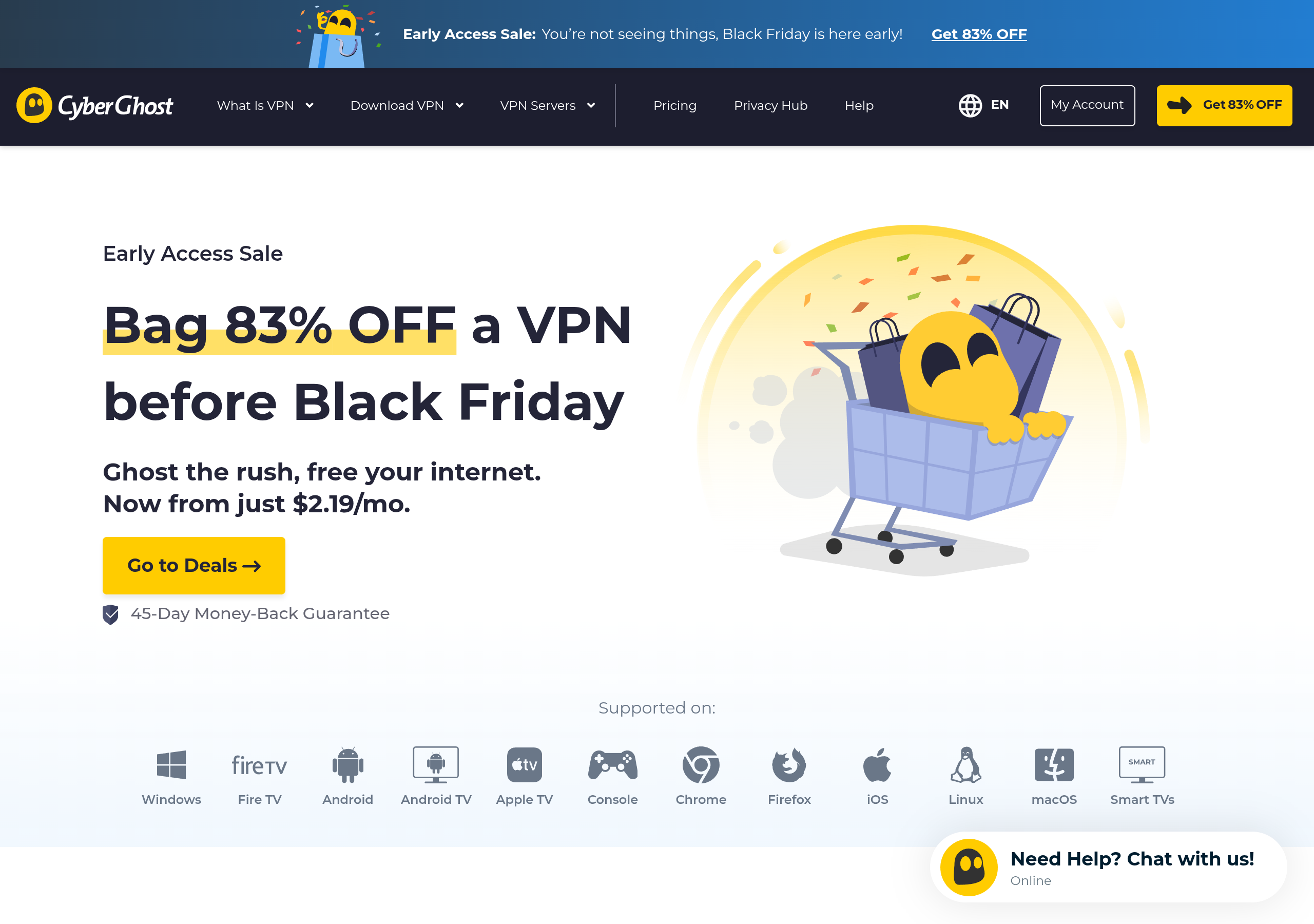
CyberGhost is the cheapest long-term VPN in this guide, and it has the longest money-back guarantee. The 2-year plan costs $2.19 a month ($56.94 for the first 26 months) and renews at $56.94 a year — a much smaller jump than the other VPNs here. If you are not happy, you have 45 days to ask for a refund on the 2-year and 6-month plans, instead of the usual 30. It is also the most generous with free trials: 24 hours free on Windows and macOS with no card required, 3 days on Android, and 7 days on iOS.
CyberGhost has 11,000+ servers in 100 countries, with servers labelled for what they do — streaming servers for 15+ Netflix libraries, P2P servers for file sharing, and gaming servers with low ping. Its NoSpy servers sit in Romania, outside the 5, 9, and 14 Eyes alliances, and only CyberGhost staff can reach them. The no-logs policy is audited by Deloitte, most recently in Q4 2025, and the company publishes quarterly transparency reports. The apps cover Windows, Mac, iOS, Android, Linux, Fire TV, Android TV, smart TVs, game consoles, routers, and Chrome and Firefox. The weak point is the device limit: 7 devices on one account, the lowest in this guide, and devices must be registered — if you hit the limit, you deregister one in the dashboard before adding a new one. The 6-month plan costs $6.99 a month and the monthly plan costs $12.99 (with only a 14-day refund).
Budget buyers who want the cheapest 2-year plan and the longest time to change their mind, and streamers who want servers labelled for each streaming service.
No free plan. CyberGhost is a paid-only service. But its trials are the most generous here — 24 hours free on desktop with no card required — and the 45-day money-back guarantee gives you six weeks to test it.
- 11,000+ servers in 100 countries, with dedicated servers for streaming, P2P, and gaming
- NoSpy servers in Romania, run only by CyberGhost staff, outside the 5, 9, and 14 Eyes alliances
- Deloitte-audited no-logs policy with quarterly transparency reports
- WireGuard protocol, AES-256 encryption, kill switch, split tunneling, and Smart DNS for TVs and consoles
- The longest money-back guarantee here: 45 days on long plans
- Free trials: 24 hours on Windows and macOS with no card, 3 days on Android, 7 days on iOS
- Go to CyberGhost and pick the 2-year plan for the best price.
- Create your account and pay. Your subscription starts at once.
- Download the CyberGhost app for your device and log in.
- Pick a server by use: streaming servers for Netflix and other services, P2P servers for file sharing, or just press the power button for the fastest server near you.
Only 7 devices, the lowest limit in this guide, and you must deregister a device before adding a new one. CyberGhost has no obfuscation, so it does not work reliably in China, Russia, Iran, or the UAE — the company says so itself. The monthly plan only has a 14-day refund.
Free vs Paid VPNs: Is a Free VPN Worth It?
A free VPN sounds perfect — until you ask how the company pays its bills. Running thousands of servers costs real money. A VPN that charges you nothing usually pays for itself in one of three ways: it shows you ads, it limits you so much that you upgrade, or it logs your browsing and sells the data. That last one is the opposite of what a VPN is for. Free VPNs are also usually slow, cap your data at 500 MB or 10 GB a month, cover one device, and cannot unblock streaming services. Some have even been caught injecting ads into the pages you visit or selling browsing history to advertisers.
Proton VPN Free is the exception that proves the rule. It is paid for by Proton's paying customers, so it does not need to sell your data. It has no data limits, no ads, and the same no-logs policy as the paid plan. The trade-off is speed and choice: medium speed, one device, and a random country. If you only need basic protection on public Wi-Fi, it is genuinely good enough. For streaming, travel, and full speed, a paid VPN is worth the few dollars a month — and with a 30-day money-back guarantee, you can test any paid VPN in this guide without risk.
One more honest point: a VPN does not make you invisible. It hides your traffic from your internet provider and the local Wi-Fi owner, and it changes your IP address. It does not stop a website from knowing what you do after you log in, it does not remove malware already on your device, and it does not make illegal activity legal. Use it for privacy and security, not as a magic shield.
Common VPN Mistakes to Avoid
1. Picking on price alone and ignoring the renewal. A $2.19 plan that renews at $99.95 a year is not cheaper than a $3.49 plan that renews at $83.88. Always read the renewal line at checkout.
2. Trusting a free VPN with your data. If a VPN is free and has no paid customers behind it, your data is the product. Proton VPN Free is the safe exception.
3. Forgetting the kill switch. If your VPN drops for a second, your real IP can leak. Turn on the kill switch in the app settings so your internet stops until the VPN reconnects.
4. Protecting only one device. Your phone on public Wi-Fi is more exposed than your laptop at home. Pick a plan that covers every device you own — or pick Surfshark, which covers unlimited devices.
5. Leaving auto-renew on without a reminder. Every VPN in this guide renews automatically at the standard price. Put a reminder in your calendar a week before the renewal date, so you can decide with a clear head.
6. Using a VPN where it is banned. VPNs are legal in most countries, including the US, Canada, Australia, the UK, and most of Europe. But they are illegal in North Korea, Belarus, Oman, Iraq, and Turkmenistan, and heavily restricted in Russia and China. Check the local law before you travel.
Get NordVPN — 78% Off + 3 Months Free →
Frequently Asked Questions
1. Is NordVPN free?
No. NordVPN has no free plan. It is a paid-only service. You can try it free for 7 days on Android through Google Play, and new customers in some countries, including the US, can start a 7-day Prime trial on the website. Every paid plan also has a 30-day money-back guarantee, so you can test the full service and get a refund if you do not like it.
2. Which VPN is the fastest in 2026?
NordVPN is the fastest all-rounder in this guide, thanks to its NordLynx protocol and 10 Gbps servers in 225+ locations. Surfshark and ExpressVPN are close behind with the same WireGuard-based speeds. In real use, the fastest VPN is usually the one with a server near you, so pick a VPN with many servers in your country.
3. Can I use a VPN for Netflix and streaming?
Yes. NordVPN, ExpressVPN, and CyberGhost all have servers that work for streaming, and CyberGhost labels its servers by streaming service. Proton VPN Plus also supports streaming. The free Proton VPN plan does not. Streaming services change their blocks often, so if one server does not work, try another server in the same country.
4. Are VPNs legal?
Yes, VPNs are legal in most countries, including the US, Canada, Australia, the UK, and most of Europe, as long as you do not do anything illegal while using one. They are illegal in North Korea, Belarus, Oman, Iraq, and Turkmenistan, and heavily restricted in Russia and China. Always check the local law before you travel.
5. How many devices can I use a VPN on?
It depends on the VPN. Surfshark covers unlimited devices on one account. NordVPN and Proton VPN cover 10 devices. ExpressVPN covers 10 to 14 devices depending on the plan. CyberGhost covers 7 devices. If you have a big family, Surfshark is the best value.
6. Does a VPN slow down my internet?
A little, yes. Encryption and the extra distance always cost some speed. With a good VPN on a nearby server, the slowdown is small — usually under 10% on a fast connection — and you will not notice it in browsing, streaming, or video calls. Pick a server in your own country or a nearby one for the best speed.
7. What does a no-logs policy mean?
It means the VPN company does not record what you do online — no websites visited, no files downloaded, no connection times. The important part is proof: NordVPN's no-logs policy has been audited six times by PwC and Deloitte, and CyberGhost's by Deloitte three times. A VPN that only claims "no logs" without an audit is asking you to trust its word.
8. Do I need a VPN on public Wi-Fi?
Yes. Public Wi-Fi in cafes, airports, hotels, and parks is the easiest place for someone to snoop on your traffic. A VPN encrypts everything between your device and the internet, so even if someone is watching the network, they cannot read what you send. This is the single most useful thing a VPN does.
9. Which VPN is best for travel?
NordVPN is the best all-rounder for travel: 225+ locations, fast speeds, and obfuscated servers for countries that block VPNs. ExpressVPN is a close second because its apps are the simplest and it works on routers and smart TVs. If you travel to China or another country that blocks VPNs, check before you go — CyberGhost does not work reliably there.
10. What happens when my cheap first-term price ends?
Your plan renews automatically at the standard yearly price, which is higher than the sale price. NordVPN Basic renews at the standard rate after 27 months, Surfshark Starter renews at $79 a year, ExpressVPN Basic at $99.95 a year, Proton VPN Plus at $83.88 a year, and CyberGhost at $56.94 a year. Set a calendar reminder a week before renewal so you can decide whether to keep it, switch, or look for a new deal.
Related Guides



Final Thoughts
After comparing all five, our pick is clear: NordVPN is the best VPN in 2026. It is the fastest, the most complete, and the best protected — 7,000+ servers, an audited no-logs policy, a built-in antivirus with scam and phishing protection, and dark web monitoring in one app. At $3.49 a month on the 2-year Basic plan, with 78% off and 3 extra months in the Black Friday sale, it is also fairly priced for what you get. If you want a password manager and encrypted cloud storage too, the Complete plan at $3.99 a month is the best value.
If your budget is tighter, pick Surfshark at $2.49 a month for unlimited devices, or CyberGhost at $2.19 a month for the cheapest plan and the longest refund window. If you want a VPN for free, Proton VPN Free is the only safe free option. And if you want the simplest VPN that just works, ExpressVPN at $2.99 a month is the easiest to use.
Whatever you pick, remember the two rules from this guide: check the renewal price before you pay, and turn on the kill switch after you install the app. Then test it for a month — every VPN here has a money-back guarantee, so there is no risk in trying.
Get NordVPN — 78% Off + 3 Months Free →
Want every feature, price, and answer in one place? Read the full detail page: NordVPN — Full Details.