
A grammar checker is the simplest AI tool you will ever use, and also one of the most useful. You write an email, a job application, a school essay, or a blog post — and before you send it, a checker catches the typos, the wrong verb, the missing comma, and the sentence that does not quite make sense. Nobody sees the mistakes. You just look like a careful writer.
But not every free grammar checker is actually useful. Some free plans only check 500 words at a time, which is barely one page. Some only work on one website. And one famous tool in this guide — Hemingway — does not check grammar at all, even though a thousand lists call it a grammar checker. This guide compares the ten free AI grammar checkers that are actually worth your time in 2026, with real free-plan limits, real prices, and honest drawbacks.
How to Choose the Right Grammar Checker
Before you compare prices, check these six things. They decide whether a checker helps your writing or wastes your time.
1. What it actually checks. Grammar, spelling, punctuation, style, and readability are five different jobs. Grammarly and LanguageTool check grammar and spelling. Hemingway only checks readability — long sentences and passive voice. A tool that only does one job is fine, as long as you know which job it does.
2. The free limit. This is the real price of a free plan. Grammarly Free has no word limit on basic checks. ProWritingAid Free stops at 500 words. Trinka Free stops at 5,000 words a month. Scribens Free stops at 8,000 characters a day. Pick a limit that fits how much you actually write, or you will hit the wall in the middle of a document.
3. Where it works. A checker that only works on its own website is annoying — you have to copy and paste every time. The best tools work where you already write: a browser extension for Gmail and Google Docs, an add-in for Word, and a keyboard on your phone. Grammarly and LanguageTool cover the most places.
4. False positives. A checker that flags correct sentences is worse than no checker at all, because you start ignoring it. Grammarly and LanguageTool are the most accurate in this guide. Cheaper tools sometimes "fix" sentences that were already right, and change your voice in the process.
5. Privacy. A grammar checker reads everything you write. Most tools send your text to their servers to check it. If you write private emails or unpublished work, check the privacy policy first. Trinka deletes your data automatically, LanguageTool can be self-hosted on your own computer for free, and Sapling offers a plan that never stores your text.
6. The paid price. You may never pay, but know the price anyway. The cheapest paid plan here is LanguageTool at $4.99 a month billed yearly. The most expensive is Grammarly at $12 a month billed yearly, or $30 a month if you pay monthly. Paying yearly usually cuts the price by half or more, so never pay monthly for a tool you use every day.
In This Guide
- 1. How to Choose the Right Grammar Checker
- Best Free AI Grammar Checkers at a Glance
- Grammarly — Best Overall Grammar Checker
- LanguageTool — Best Free Plan for Most People
- QuillBot — Best for Paraphrasing and Grammar in One Tool
- ProWritingAid — Best for Long Documents and Authors
- Trinka — Best for Academic and Technical Writing
- Microsoft Editor — Best If You Already Use Word and Outlook
- Hemingway Editor — Best Free Readability Checker
- Sapling — Best for Support Teams and AI Detection
- Scribens — Best for Learners
- Ginger — Best Budget Rephraser
- Free vs Paid: What the Free Plans Really Cost You
- Common Grammar Checker Mistakes to Avoid
- Frequently Asked Questions
- Final Thoughts
Best Free AI Grammar Checkers at a Glance
| Tool | Free Plan | Free Limit | Paid Plan From | Best For |
|---|---|---|---|---|
| Grammarly | Yes, free forever | No word limit on basic checks | $12 a month billed yearly | Everyone — most accurate, works everywhere |
| LanguageTool | Yes, free forever | 10,000 characters per check | $4.99 a month billed yearly | Multilingual writing, tight budgets |
| QuillBot | Yes, free forever | 125 words per paraphrase, grammar checker uncapped | $8.33 a month billed yearly | Paraphrasing and grammar in one place |
| ProWritingAid | Yes, free forever | 500 words at a time | $10 a month billed yearly | Books, essays, long documents |
| Trinka | Yes, free forever | 5,000 words a month | About $6.67 a month billed yearly | Research papers, academic English |
| Microsoft Editor | Yes, with a Microsoft account | Basic checks only on free | $9.99 a month (Microsoft 365 Personal) | Word, Outlook, and Edge users |
| Hemingway Editor | Yes, free web editor | Unlimited, no account needed | $19.99 one-time (desktop app) | Short, clear sentences — readability only |
| Sapling | Yes, free forever | Basic suggestions, 20 snippets | $12 a month billed yearly | Support teams, AI detection |
| Scribens | Yes, free forever | 8,000 characters a day | €9.90 a month (about $10.85) | Learners who want explanations |
| Ginger | Yes, free forever | Very tight — short texts only | $7.50 a month billed yearly | Rephrasing sentences on a budget |
1. Grammarly
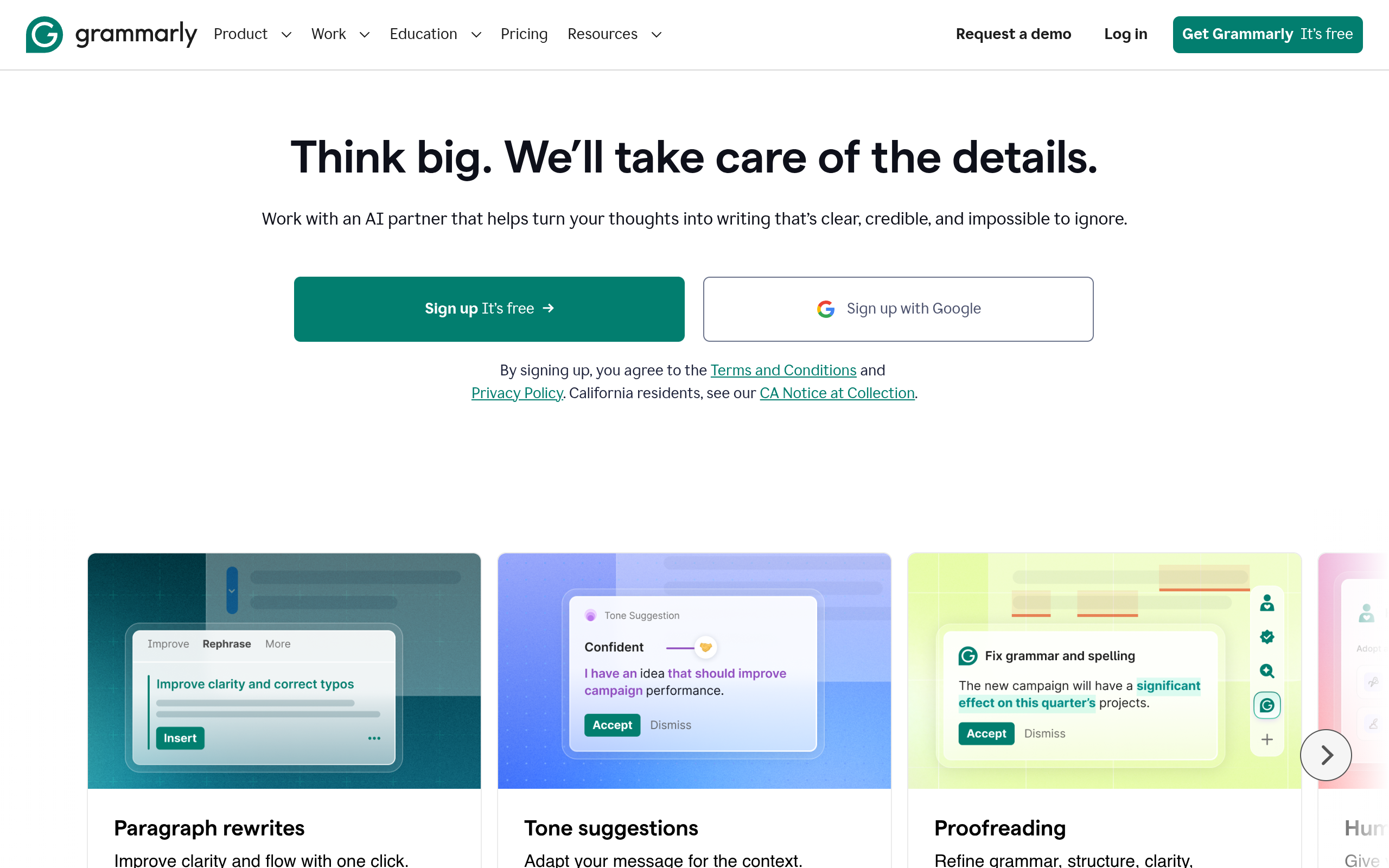
Grammarly is the grammar checker everyone else is compared to, and for good reason. It catches more mistakes than any other free tool in this guide, and it works almost everywhere you write: in Chrome, Edge, and Firefox, inside Google Docs and Microsoft Word, in Gmail and Outlook, and on your phone keyboard. You install it once, and it quietly underlines your mistakes wherever you type.
The free plan is genuinely useful, not a demo. It checks spelling, grammar, and punctuation with no word limit, shows you the tone of your writing, and gives you 100 AI prompts a month for quick rewrites. What it does not do for free is the advanced stuff: full-sentence rewrites, vocabulary suggestions, plagiarism detection, and tone adjustments. Those need the paid plan, which Grammarly now calls Pro — it used to be called Premium, and the price is the same.
Everyone — students, job seekers, bloggers, and professionals who want the most accurate free checker that works everywhere.
Free forever, $0. Basic grammar, spelling, and punctuation checks with no word limit, tone view, and 100 AI prompts a month. Pro costs $12 a month billed yearly ($144 a year), or $30 a month billed monthly.
- Real-time grammar, spelling, and punctuation checks as you type
- Works in browsers, Google Docs, Word, Gmail, Outlook, and on mobile keyboards
- Tone detection shows how your writing sounds to the reader
- 100 AI prompts a month on the free plan for quick rewrites
- Plagiarism detection on Pro, against billions of web pages
- Open Grammarly and create a free account — no card needed.
- Install the browser extension for Chrome, Edge, or Firefox.
- Start typing anywhere — Grammarly underlines mistakes in red and suggests fixes.
- Click a suggestion to accept it, or click the Grammarly icon to see your tone and overall score.
Grammarly is the most expensive paid plan in this guide at $30 a month on monthly billing — always choose yearly billing if you upgrade. It also sometimes flags correct sentences, especially informal writing, so read each suggestion before you accept it.
Grammarly Free is the safest first pick in this guide. If you only install one grammar checker, install this one.
2. LanguageTool
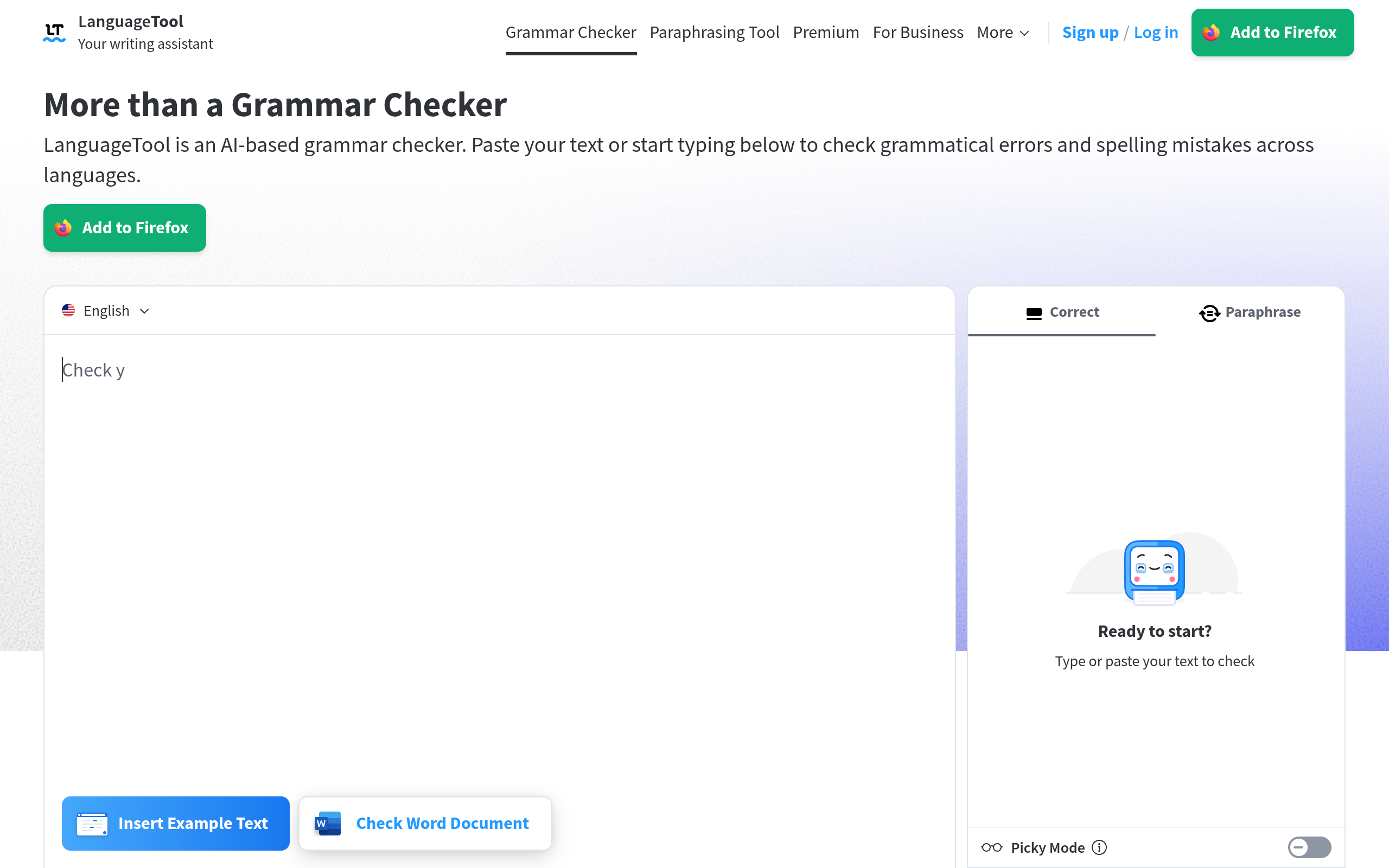
LanguageTool is the best free alternative to Grammarly, and for many people it is the better choice. The free plan checks up to 10,000 characters at a time on the website — about 1,500 to 2,000 words — with no sign-up and no account. It works in more than 30 languages, including English, Spanish, French, and German, which makes it the only tool in this guide that can check a document in two languages at once. And its paid plan is the cheapest here: $4.99 a month billed yearly, less than half the price of Grammarly.
LanguageTool is also open source, which means its checking engine is free forever — you can even install it on your own computer and check text offline, with nothing sent to any server. That makes it the best choice if you care about privacy, or if you write in a language other than English.
Anyone who writes in more than one language, anyone on a tight budget, and anyone who wants a free checker without creating an account.
Free forever, $0. Basic grammar and spelling checks up to 10,000 characters per check on the website, no sign-up needed. Premium costs $4.99 a month billed yearly ($59.90 a year), or $19.90 a month billed monthly, and raises the limit to 100,000 characters per check.
- Grammar, spelling, and punctuation checks in 30+ languages
- Free website checks up to 10,000 characters with no sign-up
- Picky Mode on Premium catches subtle style and tone errors
- Open-source engine — free to self-host on your own computer
- Works in browsers, Word, LibreOffice, Google Docs, and Thunderbird
- Open LanguageTool — no account needed for the free website checker.
- Paste your text into the box and click to check it.
- Click any underlined word to see the correction and a short explanation.
- For Gmail and Google Docs, install the browser extension — but note the warning below.
Since December 2025, LanguageTool's browser extension needs a paid plan — about six million free users lost it overnight. The free website still works at 10,000 characters per check, and the desktop app and LibreOffice extension are still free. If you want the extension free, self-host LanguageTool on your own computer.
LanguageTool is the best value in this guide: the most generous free plan, the cheapest paid plan, and the only one you can run yourself for free.
3. QuillBot
QuillBot started as a paraphrasing tool, and it is still the best one in this guide — but its grammar checker is quietly excellent too. Paste in a messy email and it catches the typos, the comma splices, and the run-on sentences. The grammar checker has no word cap on the free plan, which is more generous than most tools here. Where QuillBot really earns its place is when you need to rewrite something, not just fix it: two paraphrasing modes on the free plan, seven on Premium, plus a summarizer, a translator, and a citation generator in the same dashboard.
That makes QuillBot the best all-in-one writing tool in this guide for students. You can paraphrase a paragraph, check its grammar, shorten it with the summarizer, and build the citation — without opening four different websites. The trade-off is the paraphraser's limit: 125 words per run on the free plan, which is about one paragraph. Anything longer has to go through in chunks.
Students and anyone who rewrites as much as they correct — paraphrasing, summarizing, and grammar checking in one free account.
Free forever, $0. Paraphrasing up to 125 words per run in 2 modes, basic grammar fixes, summaries up to 1,200 words. Premium costs $8.33 a month billed yearly ($99.95 a year), or $19.95 a month billed monthly, and removes all limits.
- Grammar checker with no word cap on the free plan
- Paraphraser with Standard and Fluency modes free, 7 modes on Premium
- Summarizer up to 1,200 words on the free plan
- Translator, citation generator, and AI detector in the same account
- Plagiarism checker on Premium, up to 25,000 words a month
- Open QuillBot and click Grammar Checker — no account needed to try it.
- Paste your text and click to check it.
- Switch to the Paraphraser tab to rewrite any sentence in a different way.
- Use the Summarizer tab to shorten long text before you check it.
The 125-word paraphrasing limit is the real bottleneck — it is fine for emails and short paragraphs, but useless for a full essay in one go. QuillBot's prices also vary by region, so check the final total at checkout before you pay.
QuillBot is the best second tool in this guide. Use Grammarly or LanguageTool for checking, and QuillBot when you need to rewrite.
4. ProWritingAid
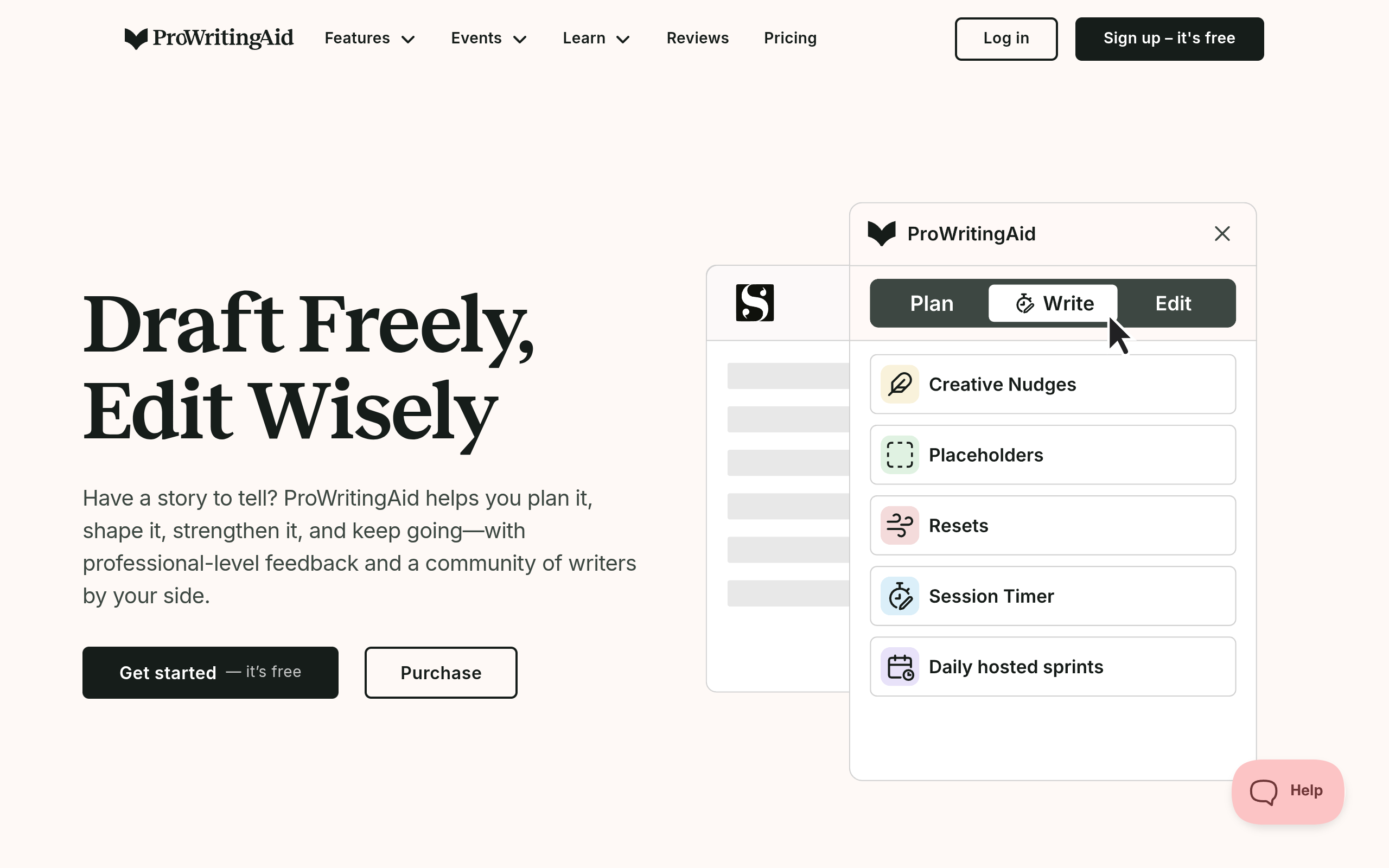
ProWritingAid is not a quick email checker — it is a writing coach for long documents. Where Grammarly checks a sentence, ProWritingAid checks the whole book: 25+ reports that measure sentence variety, repeated words, pacing, dialogue, readability, and sticky sentences. It is the only tool in this guide built for authors, and it shows. Novelists and essay writers use it to self-edit a manuscript before it goes to a human editor.
The free plan is the weakest part. It only checks 500 words at a time, with two report runs a day and 10 rephrases a day. That is a demo, not a workflow — a single chapter would take days to check for free. But if you write long documents and you are willing to pay, the Premium plan at $10 a month billed yearly is good value, and the $399 lifetime licence pays for itself in about three years.
Authors, bloggers, and students writing essays, theses, or books — anyone who edits long documents, not short emails.
Free forever, $0. Grammar, spelling, and punctuation checks on 500 words at a time, 2 report runs a day, 10 Rephrases a day. Premium costs $10 a month billed yearly ($120 a year), or $30 a month billed monthly, or $399 once for a lifetime licence.
- 25+ writing analysis reports: style, structure, pacing, and readability
- Checks grammar, spelling, and punctuation in Word, Google Docs, and Scrivener
- Rephrase tool rewrites sentences in different styles
- Works with manuscripts of any length on paid plans
- Integrations for Word, Google Docs, Chrome, and Scrivener
- Open ProWritingAid and create a free account.
- Paste up to 500 words into the online editor.
- Run the summary report first — it shows your biggest problems at a glance.
- Open the individual reports (style, grammar, readability) one at a time and fix what they flag.
The 500-word free limit makes the free plan unusable for real documents — do not plan a book edit around it. Monthly billing costs three times the yearly rate ($30 a month against $10), so never pay monthly.
ProWritingAid is the best tool in this guide for long writing — but only if you pay. On the free plan, use it to learn from its reports, not to edit a whole document.
5. Trinka
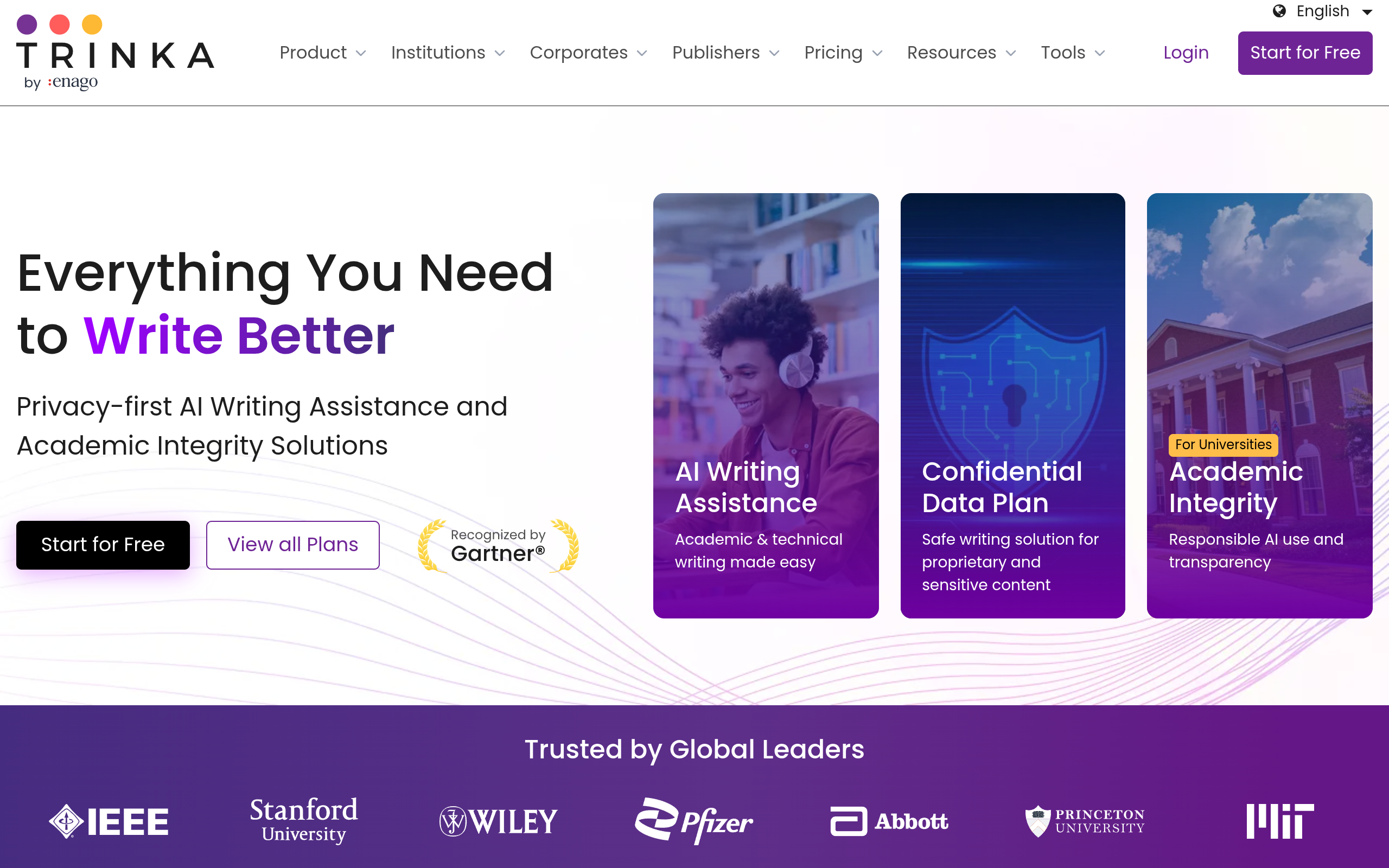
Trinka is the only grammar checker in this guide built for academic and technical writing. It was made for researchers, doctors, and engineers — people who write papers, not posts. It catches more than 3,000 types of errors that are specific to formal writing: wrong prepositions in academic phrases, inconsistent terminology, and style mistakes that a normal checker never sees. It also checks your paper against the style guides that journals actually use, like APA, AMA, and IEEE.
The free Basic plan gives you 5,000 words of grammar checks a month, plus a paraphraser, a consistency checker, and 4 credits a month to try premium features like a plagiarism scan. That is enough for one short paper a month. If you publish regularly, Premium starts at about $6.67 a month billed yearly, and Premium Plus at $125 a year adds plagiarism and AI-detection checks.
Researchers, students, and professionals writing academic papers, theses, journal articles, and technical reports.
Free forever, $0. Up to 5,000 words of grammar and language checks a month, paraphraser, consistency check, and 4 credits a month for premium features. Premium costs from about $6.67 a month billed yearly, or about $20 a month billed monthly.
- Academic and technical grammar checks — 3,000+ error types
- Style guide corrections for APA, AMA, ACS, AGU, and IEEE
- Journal finder suggests where to publish your paper
- Consistency checker keeps terminology the same across a paper
- Privacy-first: Premium deletes your data automatically after 90 days
- Open Trinka and create a free account.
- Paste your paper or upload the file.
- Pick your field — Trinka adjusts its checks for medicine, engineering, and other subjects.
- Use your 4 monthly credits for a plagiarism scan or an AI-detection report before you submit.
5,000 words a month is one short paper — a thesis will use it up in a day. Trinka is also weak for casual writing; its suggestions assume formal academic English, so do not use it for emails or blog posts.
If you write papers, Trinka is the best free checker in this guide. For everything else, use Grammarly or LanguageTool.
6. Microsoft Editor
Microsoft Editor is the grammar checker you already have. If you use Word, Outlook, or Edge, it is already there — no install, no new account, no new habit. With a free Microsoft account, you get basic spelling and grammar checks in Word for the web, in Outlook on the web, and in the Edge browser. It underlines mistakes as you type and suggests fixes, just like Grammarly, but inside Microsoft's own apps.
The catch is that the free version is basic. Advanced grammar checks, style suggestions, and clarity rewrites need Microsoft 365, which costs $9.99 a month or $99.99 a year for Personal. That is a lot to pay for a grammar checker alone — but if you already pay for Microsoft 365 for Word and OneDrive, Editor's advanced features are already included, and you do not need another tool at all.
Anyone who already lives in Word and Outlook — office workers, students with a school Microsoft account, and Edge users.
Free with a Microsoft account, $0. Basic spelling and grammar checks in Word for the web, Outlook on the web, and Edge. Advanced checks need Microsoft 365 Personal at $9.99 a month or $99.99 a year.
- Built into Word, Outlook, and Edge — nothing to install
- Basic spelling and grammar checks free with a Microsoft account
- Advanced grammar, style, and clarity checks with Microsoft 365
- Works in 20+ languages
- Free for students at participating schools through Microsoft 365 Education
- Open Microsoft Editor and sign in with your Microsoft account.
- Open Word for the web and start typing — Editor underlines mistakes automatically.
- Click the Editor icon in Word to see your overall score and all suggestions in one place.
- In Edge, turn on Editor in the browser settings to check text on any website.
The free checks are genuinely basic — they miss the style and clarity errors that Grammarly catches. And Microsoft 365 Personal went up in price in 2026, from $6.99 to $9.99 a month, so do not buy it just for Editor.
Microsoft Editor is the best grammar checker for people who never want to install anything. If you already pay for Microsoft 365, use it — it is already yours.
7. Hemingway Editor
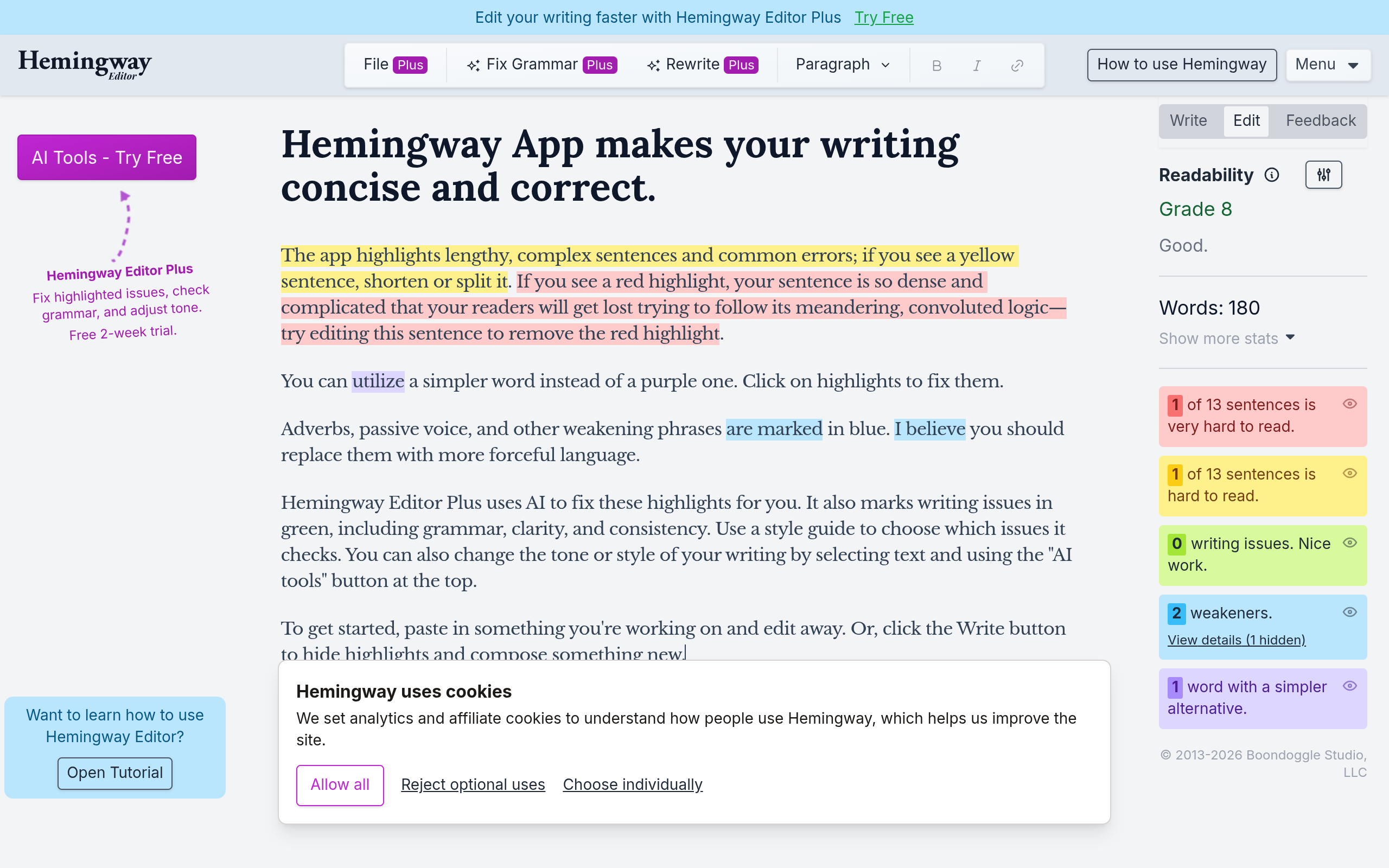
Hemingway Editor is the most misunderstood tool in this guide, so let us be clear first: it is not a grammar checker. The free web editor does not check your spelling, your grammar, or your punctuation. What it does — brilliantly — is show you whether your writing is easy to read. It highlights long sentences in yellow, very hard sentences in red, passive voice in green, and adverbs in blue, and it gives your text a reading grade. Ernest Hemingway wrote short, plain sentences, and this tool pushes you to do the same.
That makes Hemingway the perfect second tool, not a first one. Run your text through Grammarly or LanguageTool first to fix the grammar, then paste it into Hemingway to cut the fat. The free web editor is unlimited and needs no account at all — paste any length of text and it works. The desktop app costs $19.99 once and adds offline editing and exports. The Plus subscription, from $8.33 a month billed yearly, adds AI rewrites — that is the only version that fixes grammar.
Bloggers, marketers, and anyone whose writing needs to be short and clear — as a second pass after a real grammar checker.
Free forever, $0. The web editor is unlimited with no account. The desktop app (Hemingway Editor 3) costs $19.99 once. Hemingway Editor Plus costs from $8.33 a month billed yearly ($100 a year) and is the only version with AI grammar fixes.
- Colour-coded highlights for hard sentences, passive voice, and adverbs
- Reading grade score — aim for grade 6 to 8 for most readers
- Free web editor is unlimited with no account and no sign-up
- Desktop app works offline and exports to Word, PDF, and HTML
- Plus subscription adds AI rewrites and grammar fixes
- Open Hemingway Editor — no account needed.
- Paste your text into the editor.
- Fix the red sentences first — they are the hardest to read.
- Cut the yellow sentences in half and remove the blue adverbs.
Do not use Hemingway as your only checker — it will never tell you about a spelling mistake or a wrong verb. And do not buy the $19.99 desktop app expecting AI features: the desktop app has no AI at all. AI rewriting only exists in the Plus subscription.
Hemingway will not fix your grammar, but it will make your writing shorter, clearer, and easier to read — and that is a different, equally valuable job.
8. Sapling
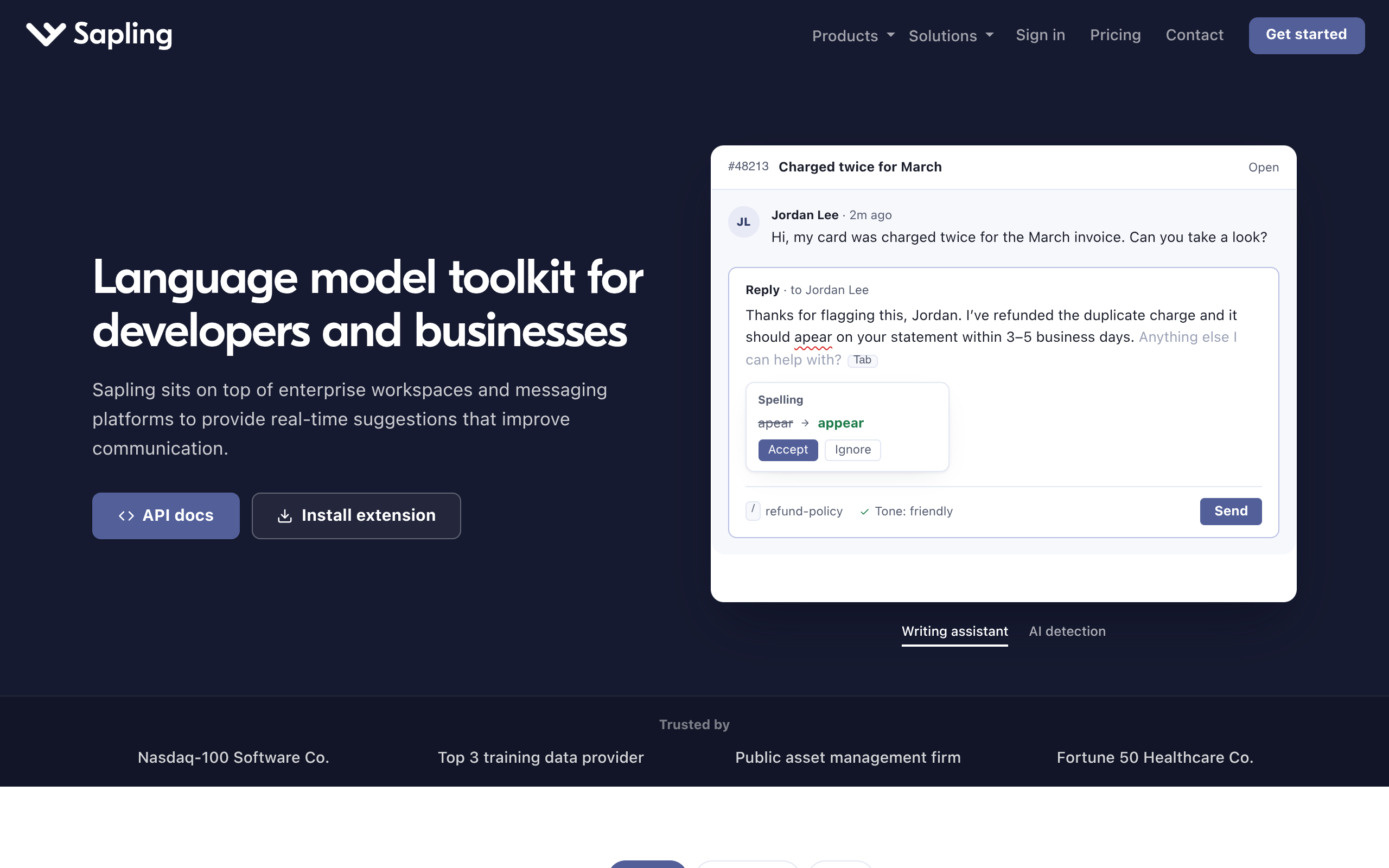
Sapling is a grammar checker built for teams that answer customers all day. It was made by former Google and Stanford researchers, and it works inside the tools support teams already use: Gmail, Outlook, Zendesk, Salesforce, and helpdesk software. As you type a reply, it fixes your grammar, suggests better phrasing, and — its best trick — autocompletes whole sentences based on what your team usually writes. It also includes one of the better-known AI detectors, which checks whether a piece of text was written by AI.
For a single writer, Sapling is less attractive than Grammarly. The free plan covers basic grammar and spelling, 20 snippets, and AI detection up to 2,000 characters per check. Pro costs $25 a month billed monthly, or $12 a month billed yearly, and adds autocomplete everywhere, unlimited snippets, and AI detection up to 100,000 characters. There is a one-month Pro trial with no card needed, which is a fair way to test it.
Support teams, sales teams, and anyone who writes the same replies every day — plus anyone who wants a grammar checker and an AI detector in one tool.
Free forever, $0. Basic grammar and spelling suggestions, 20 snippets, AI detection up to 2,000 characters per check. Pro costs $25 a month billed monthly, or $12 a month billed yearly ($144 a year).
- Grammar and spelling checks inside Gmail, Outlook, Zendesk, and Salesforce
- Autocomplete suggests whole sentences as you type
- Snippets insert saved replies with one shortcut
- Built-in AI detector — 2,000 characters free, 100,000 on Pro
- One-month Pro trial with no card needed
- Open Sapling and create a free account.
- Install the browser extension for Chrome or Edge.
- Open Gmail or your helpdesk and start typing a reply — Sapling suggests fixes as you write.
- Save your common replies as snippets and insert them with a shortcut.
Sapling has no plagiarism checker at all — the only tool in this guide without one. And $25 a month on monthly billing is expensive for one person; the yearly price of $12 a month is the only sensible option.
Sapling is a team tool first and a personal checker second. If you answer customers for a living, it is worth a test. For personal writing, Grammarly is better and cheaper.
9. Scribens
Scribens is the teacher of this guide. Most grammar checkers just fix your mistake and move on. Scribens explains it: why the verb was wrong, what the rule is, and what the correct form looks like. It also shows you a dictionary definition, synonyms, and conjugations for every word, and it gives you statistics about your text — word count, reading time, and repeated words. If you are learning English, that explanation matters more than the correction itself.
The free plan checks up to 8,000 characters a day, which is about 1,200 words — enough for a homework assignment or a short email, but not for a long essay. Premium costs €9.90 a month, or €59.90 a year (about $4.99 a month), and raises the limit to 5 million characters a month with up to 100,000 characters per check. Premium also removes the ads and adds a paraphrasing tool with 20 tones.
English learners, students, and anyone who wants to understand their mistakes instead of just fixing them.
Free forever, $0. Grammar checks up to 8,000 characters a day, with correction explanations and dictionary lookups. Premium costs €9.90 a month, or €59.90 a year (about $4.99 a month).
- Explains every correction with the grammar rule behind it
- Dictionary with definitions, synonyms, and conjugations for every word
- Checks 250+ types of grammar and spelling errors
- Text statistics: word count, reading time, and repeated words
- Works in English and French
- Open Scribens — no account needed for the free checker.
- Paste your text into the box and click to check it.
- Click any underlined word to read the explanation of the mistake.
- Use the dictionary tab to check synonyms and conjugations before you rewrite a sentence.
The free plan shows ads, and 8,000 characters a day runs out fast if you check more than one document. Scribens is also weaker than Grammarly on style — it is a corrector, not a writing coach.
If you are learning English, Scribens is the best free checker in this guide — because it teaches you, not just fixes you.
10. Ginger
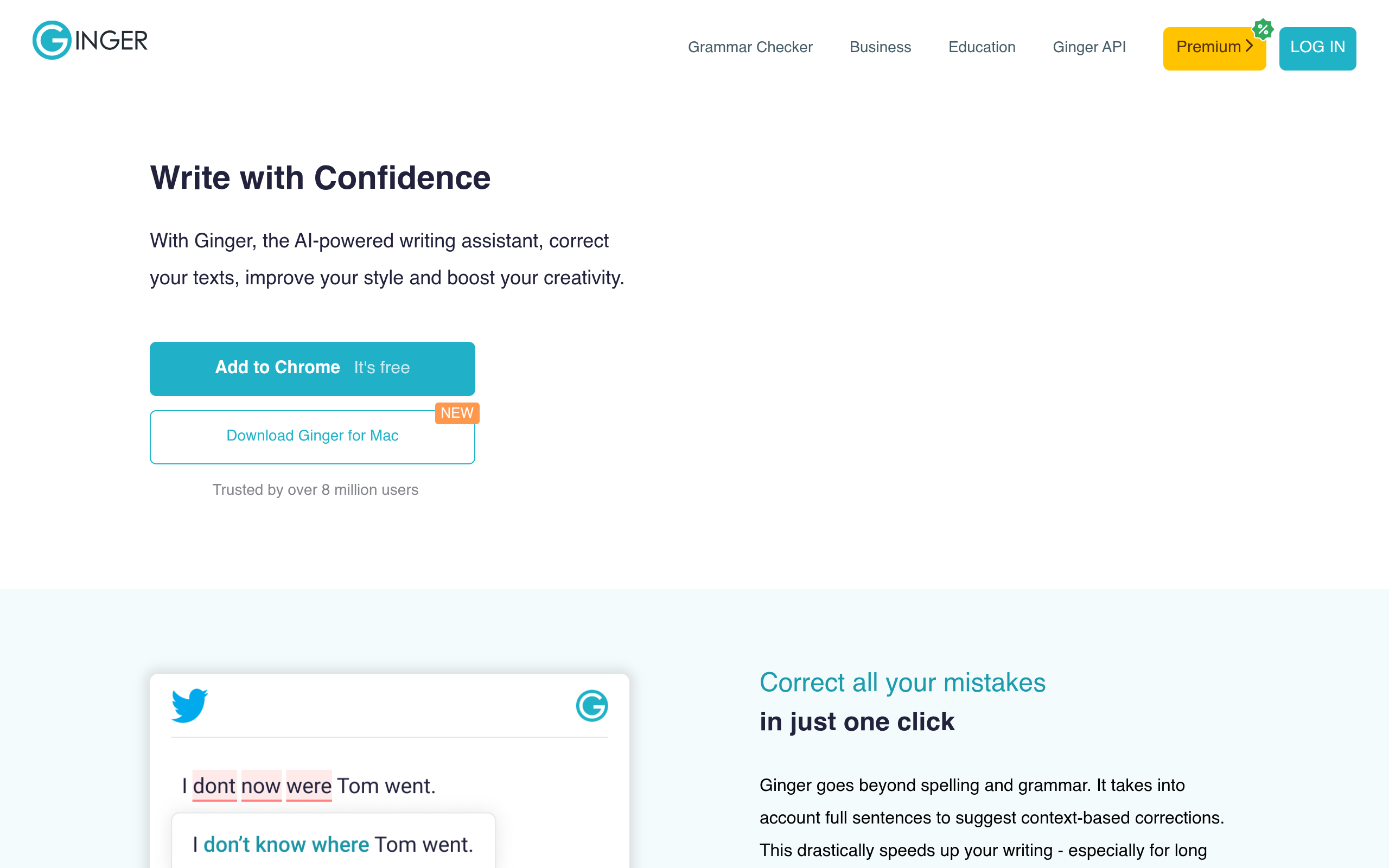
Ginger is the oldest tool in this guide, and it shows — in both good and bad ways. The good: its sentence rephraser is genuinely useful, suggesting a better way to say the same thing in one click, and it translates between more than 40 languages. The bad: the free plan is the weakest in this guide. It only checks short texts, with tight limits that change depending on whether you are signed in, and longer texts cannot be rephrased at all without paying. Ginger also runs constant promotions, so the price you see today is rarely the price you pay — Premium is listed at $13 a month billed monthly, $7.50 a month billed yearly, and often half that on promotion.
So why is Ginger in this guide at all? Because its rephraser is cheap and good. If you already check your grammar somewhere else and you just want a tool that rewrites awkward sentences, Ginger Premium on the yearly plan is one of the cheapest ways to get it. But as your only grammar checker, the free plan is too limited to recommend.
Anyone who wants a cheap rephraser and already has a grammar checker — or writers who need translation in many languages.
Free forever, $0. Basic grammar and spelling checks with tight limits — only short texts, and rephrasing is heavily limited. Premium costs $13 a month billed monthly, $9.99 a month billed quarterly, or $7.50 a month billed yearly ($90 a year), and is often discounted by 50%.
- Sentence rephraser suggests better ways to say the same thing
- Grammar, spelling, and punctuation checks in the browser and Word
- Translation in 40+ languages on Premium
- Personal trainer mode teaches you from your own mistakes
- Text reader reads your writing out loud
- Open Ginger and use the free web checker — no account needed for a quick check.
- Paste a short sentence and click to check it.
- Click the rephrase button to see a better version of the sentence.
- Install the browser extension to check text in Gmail and Google Docs.
The free limits are so tight that you will hit them in your first session — do not plan real work around the free plan. And ignore the headline price: Ginger almost always runs a 50% promotion, so the real yearly price is usually about $45, not $90.
Ginger is the weakest free plan in this guide, but its rephraser is worth the yearly price if you rewrite sentences every day.
Free vs Paid: What the Free Plans Really Cost You
The word "free" hides three different things in this guide, and knowing the difference saves you from a nasty surprise in the middle of a document.
Real free plans. Grammarly Free, LanguageTool, QuillBot, and Hemingway's web editor are free forever with no expiry date. They have limits, but the limits are honest and written on the pricing page. Grammarly Free has no word limit on basic checks. LanguageTool gives you 10,000 characters per check. These are the plans you can build a daily habit on.
Free plans with a wall. ProWritingAid Free stops at 500 words. Trinka Free stops at 5,000 words a month. Scribens Free stops at 8,000 characters a day. These plans are useful for testing, but the wall arrives fast. If you write more than a page a day, you will pay — or you will switch tools mid-document, which is worse.
Free features inside a paid product. Microsoft Editor's free checks are basic on purpose — the real product is Microsoft 365. Hemingway's free editor is complete for readability, but grammar fixing only exists in the Plus subscription. Neither is a trick, but neither is a full grammar checker for free either.
The cheapest way to pay, if you ever do, is LanguageTool at $4.99 a month billed yearly, or Scribens Premium at about $4.99 a month billed yearly. Grammarly Pro is the most expensive at $12 a month billed yearly — but it is also the most accurate, so the price buys something real. And one rule covers all ten tools: never pay monthly. Yearly billing cuts the price by half or more on almost every tool in this guide.
Common Grammar Checker Mistakes to Avoid
1. Accepting every suggestion. No checker is always right. Grammarly and LanguageTool are the most accurate, but even they flag correct sentences — especially informal writing, names, and creative sentences. Read each suggestion before you accept it. A checker that changes your voice is doing damage, not helping.
2. Checking only at the end. The best time to check is while you write, not after you finish. A browser extension catches a mistake the second you make it, when the sentence is still fresh in your head. Checking a finished document means re-reading everything twice.
3. Using a readability tool as a grammar checker. Hemingway will never tell you about a spelling mistake. If it is your only tool, your writing will be short and clear — and full of typos. Always pair Hemingway with a real grammar checker.
4. Ignoring the free limit until you hit it. Check the limit before you start a document, not in the middle of one. ProWritingAid's 500-word wall and Trinka's 5,000-word monthly wall are both written on their pricing pages. Pick a tool whose limit fits your longest document, not your shortest.
5. Pasting private text into a free checker. Most checkers send your text to their servers. That is fine for a blog post, but think twice before pasting a private email, an unpublished manuscript, or anything with personal data. For sensitive writing, use LanguageTool self-hosted, or Trinka Premium, which deletes your data automatically.
6. Paying monthly instead of yearly. ProWritingAid Premium costs $30 a month billed monthly and $10 a month billed yearly. Grammarly Pro costs $30 a month billed monthly and $12 a month billed yearly. That is the same product for less than half the price — the only difference is when you pay.
Frequently Asked Questions
1. Which free grammar checker is best in 2026?
Grammarly Free is the best free grammar checker for most people. It catches the most mistakes, works in your browser, in Word, and on your phone, and its basic checks have no word limit. LanguageTool is the best free alternative, with 10,000 characters per check and no sign-up.
2. Is Grammarly really free?
Yes. Grammarly Free costs $0 forever and covers basic grammar, spelling, and punctuation checks, plus a tone view and 100 AI prompts a month. The paid plan, now called Pro, costs $12 a month billed yearly or $30 a month billed monthly, and adds full-sentence rewrites, vocabulary suggestions, and plagiarism detection.
3. Is there a completely free grammar checker with no limits?
No full grammar checker is completely unlimited for free. Hemingway's web editor is unlimited and free, but it checks readability, not grammar. LanguageTool's free website checks 10,000 characters per check with no account, and its open-source engine can be self-hosted on your own computer with no limits at all.
4. Does LanguageTool's free plan need an account?
No. The free checker on languagetool.org works with no sign-up and no account, up to 10,000 characters per check. But since December 2025, the browser extension needs a paid plan. The desktop app and the LibreOffice extension are still free.
5. Can a grammar checker replace a human editor?
No. A checker catches typos, wrong verbs, and punctuation mistakes, but it cannot judge whether your argument makes sense, whether your story works, or whether your tone fits your reader. For a book, a thesis, or anything important, a human editor is still worth the money. Use a checker to clean up the small mistakes first, so the editor can focus on the big ones.
6. Do grammar checkers store my text?
Most of them send your text to their servers to check it, and their privacy policies say how long they keep it. LanguageTool says it does not use your text to train AI models. Trinka Premium deletes your data automatically after 90 days. If you write anything sensitive, the safest option is LanguageTool self-hosted on your own computer, where nothing leaves your machine.
7. Which grammar checker is best for students?
QuillBot and LanguageTool are the best free choices for students. QuillBot combines paraphrasing, grammar checking, summarizing, and a citation generator in one free account. LanguageTool checks 10,000 characters per check with no sign-up. For academic papers, Trinka is the best choice — it checks academic style and journal formatting, with 5,000 free words a month.
8. Is Hemingway Editor a grammar checker?
No. Hemingway Editor is a readability tool. The free web editor highlights long sentences, passive voice, and adverbs, and gives your text a reading grade — but it does not check spelling, grammar, or punctuation. Only the Plus subscription adds AI grammar fixes. Use Hemingway after a real grammar checker, not instead of one.
Related Guides


Final Thoughts
After comparing all ten tools, our pick is clear: start with Grammarly Free. It is free, it catches the most mistakes, and it works everywhere you write. If you write in more than one language, or you do not want to create an account, use LanguageTool instead — its free plan is the most generous in this guide, and its paid plan is the cheapest.
If you are a student, add QuillBot for paraphrasing and summarizing. If you write papers, use Trinka. If you write long documents, test ProWritingAid — but know that its free plan will not carry a whole book. And whatever you pick, run your text through Hemingway last, to cut the long sentences and make your writing easy to read.
The tool matters less than the habit. Install one checker today, let it check everything you write for a week, and read every suggestion before you accept it. Your writing will get cleaner — and you will start catching your own mistakes before the checker does.
All prices and free-plan limits in this guide were checked on the official pricing pages on 15 November 2026. Prices change often, so always check the final price at checkout before you pay.