
"Make money online" is the most searched phrase in this topic. On Google Trends it is the number one search in the United Kingdom, the United States, and worldwide — ahead of "how to make money online" and "earn money online". Millions of people search it every month. And millions of videos and ads promise the same thing: easy money, fast money, money while you sleep.
Let us be honest before anything else. Making money online is real. People do it every day — freelancers, YouTubers, tutors, shop owners, and affiliate marketers. But there is no magic button, no fixed salary, and no method that pays you for doing nothing. Every honest way to earn online needs one of three things: a skill someone will pay for, an audience that trusts you, or a product someone wants to buy. If a website or a video promises money without any of those three, it is almost always a scam.
This guide is different from our other guide, How to Make Money with AI Tools in 2026. That guide is about using AI tools to work faster. This guide is about the methods themselves: freelancing, YouTube, tutoring, digital products, and affiliate marketing. We checked the fees, the rules, and the requirements on the official websites on 13 November 2026, and we show you the real costs, the real time to your first payout, and realistic earnings — not promises.
How to Choose the Right Way to Make Money Online
There are hundreds of ways to earn online, and trying all of them is the fastest way to earn nothing. Pick one method using three simple questions.
What can you already do? If you can write, design, edit videos, teach, or speak a second language, freelancing or tutoring is the fastest start. If you have no skill yet, pick one skill and learn it for 30 days first — video editing and Canva design are the easiest to learn. If you like making videos, YouTube is your path, but accept that it is slow at the start.
How fast do you need money? Freelancing is the fastest way to your first payment, because buyers are already on Fiverr and Upwork looking for help. Tutoring is fast too once you get students. YouTube, blogging, and affiliate marketing are slow — plan for 3 to 6 months before real money arrives. Digital products are slow to build but can sell while you sleep once they exist.
How much can you spend? Every method in this guide costs $0 to start. You do not need to buy a course, a tool, or a "premium" account to begin. The platforms take a cut of what you earn instead. That is the honest deal: free to start, and you pay only when you earn.
In This Guide
- Freelancing on Fiverr
- Freelancing on Upwork
- YouTube and Shorts
- Online Tutoring with Preply
- Selling Digital Products on Etsy and Gumroad
- Affiliate Marketing
- Making Money with AI Tools
- How to Spot a Money-Making Scam
- Common Mistakes to Avoid
Make Money Online at a Glance
| Method | Best For | Cost to Start | First Payout | Realistic Earnings |
|---|---|---|---|---|
| Freelancing on Fiverr | Beginners with one skill | Free to join | 2 to 4 weeks | $50 to $300 in the first month is a realistic beginner range; top sellers earn far more after months of reviews |
| Freelancing on Upwork | Skilled freelancers who can write proposals | Free to join; Connects cost about $0.15 each | 2 to 6 weeks | Entry-level marketplace rates are roughly $15 to $35 an hour; skilled specialists earn $50 to $90 an hour |
| YouTube and Shorts | Patient creators who like video | Free to start | 3 to 6 months or more | $0 until you join the Partner Program; then ad pay varies widely by topic and country |
| Online Tutoring with Preply | People who can teach a language or subject | Free to join | 2 to 4 weeks | English tutors average $15 to $25 an hour in take-home pay, per Preply |
| Digital Products on Etsy and Gumroad | Designers, writers, planners | Almost free ($0.20 per Etsy listing) | 1 to 3 months | A few dollars per sale; income grows only with many products and traffic |
| Affiliate Marketing | People with a blog, channel, or audience | Free to start | 1 to 6 months | From $0 to a few hundred a month at first; rates range from about 1% to 40% per sale |
| Making Money with AI Tools | Anyone who wants to work faster | Free tools to start | Same as the method you apply it to | AI is a helper, not an income by itself — it speeds up freelancing, content, and design |
There is no fixed income from any of these methods. Earnings vary widely by skill, niche, effort, and consistency. Always check the official website of each platform for current rules, fees, and limits before you start.
1. Freelancing on Fiverr
Fiverr is a marketplace where you list a service — called a gig — at a fixed price, and buyers order it directly. You do not bid for jobs. You build a shop window: one gig for logo design, one for video editing, one for writing, and so on. Fiverr is the fastest way for a beginner to earn a first payment online, because the buyers are already there. You do not need an audience, a website, or advertising. You need one skill, one good gig page, and patience while the first orders arrive.
The most important number on Fiverr is 20%. Fiverr takes a flat 20% commission on every order you complete — including gig extras and tips — so you keep 80%. A $25 order puts $20 in your balance. A $100 order puts $80 in your balance. The buyer pays a separate service fee on top of your price (5.5% plus $3.50 on orders under $200), so that fee does not come out of your 80%. Fiverr also holds cleared funds for a clearance period — often 14 days for new sellers — before you can withdraw, so your first money is not instant. You can withdraw to PayPal, Payoneer, or a bank account, and withdrawal may add a small fee of $1 to $3.
What actually sells on Fiverr in 2026? Short video editing, logo and thumbnail design, voiceovers, writing, data entry, and social media help. The mistake most beginners make is listing a gig and waiting. Fiverr rewards sellers who answer fast, deliver on time, and collect good reviews. Your first 10 reviews matter more than anything: price your first gigs low, over-deliver, and ask happy buyers to leave a review. One strong review brings the next order much faster than a perfect gig description with zero reviews.
Beginners with one clear skill who want their first online payment without an audience or a website.
Free to join and free to list gigs. Fiverr takes 20% of every completed order, and buyers pay their own service fee on top.
- Buyers come to you — no bidding, no proposals, no cold messages needed
- Fixed-price gigs with packages (Basic, Standard, Premium) so you can sell bigger orders
- Built-in payment protection: Fiverr holds the buyer's money until the order is done
- Levels and badges reward fast replies, on-time delivery, and good reviews
- Gig extras let you upsell: faster delivery, extra revisions, source files
- Go to Join Fiverr and create a seller account with a clear profile photo and a short bio about your skill.
- Pick ONE service you can already do well — for example, 10-second short video edits — and create one gig with a clear title, three packages, and samples of your work.
- Price your first gig low ($5 to $25) to win your first 10 reviews, then raise your prices step by step.
- Reply to every buyer message within an hour when you can — fast replies push your gig higher in search.
- Deliver on time, ask for a review politely, and use the money from small orders to build bigger packages.
2. Freelancing on Upwork
Upwork is the biggest freelance marketplace for bigger jobs. Unlike Fiverr, clients post a job and freelancers send proposals to win it. That makes Upwork harder at the start — you compete with other freelancers for every job — but the jobs are usually bigger and the clients are often businesses that hire again and again. If Fiverr is a shop, Upwork is a job board with an interview for every job.
The fee is simple in 2026: Upwork takes a flat 10% service fee on what you earn on most contracts. The old sliding scale of 20%, 10%, and 5% was retired in 2023, and most freelancers now see 10%. On a $1,000 contract you keep $900 before withdrawal costs. There are two extra costs to budget for. First, Connects: you spend Connects to send proposals, and Connects cost about $0.15 each, so a 10-Connect proposal costs about $1.50 whether you win the job or not. A realistic first-month budget is $15 to $30 in Connects. Second, a small contract initiation fee (from about $4.95) when a new client contract starts. Withdrawal fees and currency conversion can add a little more, so the real all-in cost is usually 11% to 15%.
Winning on Upwork is a different skill from doing the work. Clients read the first two lines of your proposal before anything else, so start with the client's problem, not your life story. Apply only to jobs that match your skill exactly, and apply early — the first 10 proposals get read most. A short portfolio with three good samples beats a long profile with none. And never work outside Upwork's payment system: clients who ask to pay by another method in the first message are breaking the rules and often never pay at all.
Freelancers who can write good proposals and want bigger, longer jobs — writing, design, development, marketing, and virtual assistance.
Free to join. Upwork takes a flat 10% service fee on earnings on most contracts. You pay for Connects (about $0.15 each) to send proposals, plus a small contract initiation fee per new client.
- Thousands of new jobs posted every day, from $50 one-off tasks to $5,000 monthly contracts
- Hourly contracts with time tracking and weekly billing, plus fixed-price contracts with milestones
- Escrow payment protection: the client funds the milestone before you start work
- Job Success Score and badges that build trust with bigger clients over time
- Long-term clients: many businesses hire the same freelancer for months or years
- Go to Upwork and build a profile that names one service clearly, with three samples of your best work.
- Buy a small pack of Connects and apply to 5 to 10 jobs a week that match your skill exactly — not 50 random jobs.
- Write each proposal in two short paragraphs: what you understood about the job, and what you will deliver and when.
- Start with small fixed-price jobs to build reviews and a Job Success Score, then move to bigger hourly contracts.
- Keep all payment inside Upwork. Never accept payment outside the platform.
3. YouTube and Shorts
YouTube is the slowest method in this guide — and the one with the biggest long-term payoff. A video you upload today can still earn money a year from now, while a freelance order pays once and ends. That is why so many people try YouTube. It is also why so many quit: you can work for months before you earn your first dollar, and most channels never reach the requirements.
Here are the real requirements. YouTube has two tiers inside the YouTube Partner Program. The lower tier, for fan funding (channel memberships, Supers, and Shopping), needs 500 subscribers, 3 public uploads in the last 90 days, and either 3,000 watch hours in the last 12 months or 3 million Shorts views in the last 90 days. The full ad-revenue tier needs 1,000 subscribers and either 4,000 watch hours in the last 12 months or 10 million Shorts views in the last 90 days. You also need 2-Step Verification, a linked AdSense account, no active strikes, and original content that passes a human review.
Read this next part carefully, because it changes the plan for anyone starting now. On 10 August 2026, YouTube announced that from 1 February 2027, new applicants for ad revenue will need 8,000 watch hours in the last 365 days or 20 million Shorts views in the last 90 days — double the current bar. Channels already in the program keep their status. If you want to start a channel, starting before February 2027 and reaching the current bar matters more than ever.
How much does YouTube actually pay? It varies widely. Long videos pay far more per view than Shorts, and the rate depends on your topic and your viewers' country. Finance and business videos pay much more per 1,000 views than entertainment videos, and viewers in the US and UK pay more than viewers in most other countries. As a rough range, long-form ad revenue is often around $1 to $10 per 1,000 views, while Shorts pay only a few cents per 1,000 views — Shorts earn from a shared ad pool, and YouTube keeps 55% of it. That is why a channel with 1 million Shorts views a month might earn only $50 to $200 from ads, while the same views on long videos would pay far more. The honest way to earn from Shorts is not ads alone: it is affiliate links, sponsorships, and selling your own product to the audience the Shorts bring in.
Patient creators who enjoy making videos and can post consistently for 3 to 6 months before expecting real money.
Free to start and free to join the Partner Program. YouTube takes its share of ad revenue (55% of Shorts ad revenue and 45% of long-form ad revenue goes to YouTube; you keep the rest).
- Free to start: a phone and a free editing app are enough for Shorts
- Videos keep earning for months or years after you upload them
- Shorts can reach thousands of new viewers fast, even on a small channel
- More ways to earn than ads: memberships, Supers, Shopping, sponsorships, and affiliate links
- Faceless channels work: you never have to show your face on camera
- Go to YouTube and create a channel around ONE topic you can make 30 videos about.
- Post 3 to 5 Shorts a week for 90 days. Strong hook in the first 2 seconds, one clear idea per video, and a reason to watch to the end.
- Check YouTube Studio every week: keep the topics with the best watch time, drop the ones nobody finishes.
- Apply for the Partner Program the week you reach 1,000 subscribers and 4,000 watch hours or 10 million Shorts views — before the February 2027 bar doubles.
- Add affiliate links and your own product early, so you earn even before ads start paying.
4. Online Tutoring with Preply
If you can teach something — English, maths, science, music, or any school subject — online tutoring turns your knowledge into an hourly wage. Preply is the biggest marketplace for it. You set your own hourly rate, students book lessons with you, and you teach by video call from home. No audience is needed, and you can start with students in your first weeks if your profile is good.
The fee is the part most new tutors miss, so here it is plainly. Preply takes a commission that starts at 33% for new tutors and falls to 18% as you teach more hours on the platform. On top of that, Preply takes 100% of every trial lesson with a new student — you are not paid for that first lesson. A tutor charging $20 an hour keeps $13.40 per lesson at the 33% tier, and $16.40 at the 18% tier. Preply's own data says English tutors average $15 to $25 an hour in take-home pay. That is the platform's own benchmark, not a promise — your rate depends on your subject, your experience, and your reviews.
Getting students is the real work. New tutors should price low at first ($10 to $15 an hour), offer many time slots, and reply to messages within minutes. A short introduction video on your profile helps more than a long written bio, because students choose a teacher they like the sound of. Teach well in the trial lesson even though it is unpaid: that one free lesson is what turns a stranger into a weekly student who books 4 lessons a month for a year.
People who can teach clearly, speak good English, and have a few free hours a week at regular times.
Free to join. Preply takes 33% commission for new tutors, falling to 18% as you teach more hours, plus 100% of every trial lesson with a new student.
- You set your own hourly rate and your own schedule
- Students come from all over the world — you are not limited to your own city
- Regular students book weekly, so income becomes steady after a few months
- Teach from home with a laptop, a webcam, and a quiet room
- English is the most in-demand subject, but maths, science, and test preparation pay well too
- Go to Preply and apply as a tutor with a clear photo, a short introduction video, and the subject you teach best.
- Set your first rate low ($10 to $15 an hour) and open many time slots to win your first students.
- Reply to student messages fast, and teach your best lesson in the free trial — it is your sales pitch.
- Ask happy students to leave a review and to book a weekly schedule.
- Raise your rate slowly as your reviews and hours grow and your commission falls.
5. Selling Digital Products on Etsy and Gumroad
Digital products are files you make once and sell many times: planners, templates, worksheets, presets, fonts, printable wall art, and resume templates. You do the work once, and every new sale is almost pure profit. That is the dream of this method — and the reason it is also slow at the start. One product with no traffic earns nothing. Twenty products with Pinterest and search traffic can earn a steady side income.
Etsy is the biggest shop for digital products. A listing costs $0.20, and when an item sells, Etsy takes a 6.5% transaction fee on the item price plus shipping, and payment processing of about 3% plus $0.25 in the US. Add it up and a typical sale loses about 10% to 11% in fees before any advertising. If Etsy brings the buyer through its own ads, an extra 12% to 15% offsite ads fee applies. Gumroad is simpler: a flat 10% fee on direct sales, with no monthly fee and no listing fee, and 30% if the buyer finds you through Gumroad's own Discover marketplace. Gumroad also handles sales tax and VAT for you as the merchant of record.
What sells? Digital planners, Notion templates, budget spreadsheets, wedding invitation templates, printable quotes, and resume templates. Prices are usually $5 to $25 per product, so you need volume: one $10 template must sell 100 times to make $1,000. The sellers who earn well have 20 to 50 products, clear photos, and traffic from Pinterest or a YouTube channel. They also bundle: one $15 planner sells slowly, but a bundle of 5 planners for $29 sells far better. Start with products you can make in Canva in an afternoon, list 10 of them, and learn from the ones that get views.
Designers, writers, and planners who can make useful files and are patient enough to list many products.
Free to start on Gumroad (10% per sale). Etsy charges $0.20 per listing plus about 10% to 11% in fees per sale.
- Make once, sell forever — no stock, no shipping, no packing
- Etsy brings millions of buyers who are already shopping for digital products
- Gumroad needs no shop setup: one link is your whole store
- Templates, planners, and printables can be made free in Canva
- Pinterest and YouTube are free traffic sources that work well for this method
- Pick ONE product type you can make well — for example, a budget planner or a resume template.
- Make your first 5 products in Canva, with clear preview images that show exactly what the buyer gets.
- List them on Etsy ($0.20 per listing) or sell them from your own link on Gumroad (free to list, 10% per sale).
- Pin every product on Pinterest with a tall image, and make one short video showing how it works.
- Add a new product every week. Sellers with 20 to 50 products earn far more than sellers with 3.
6. Affiliate Marketing
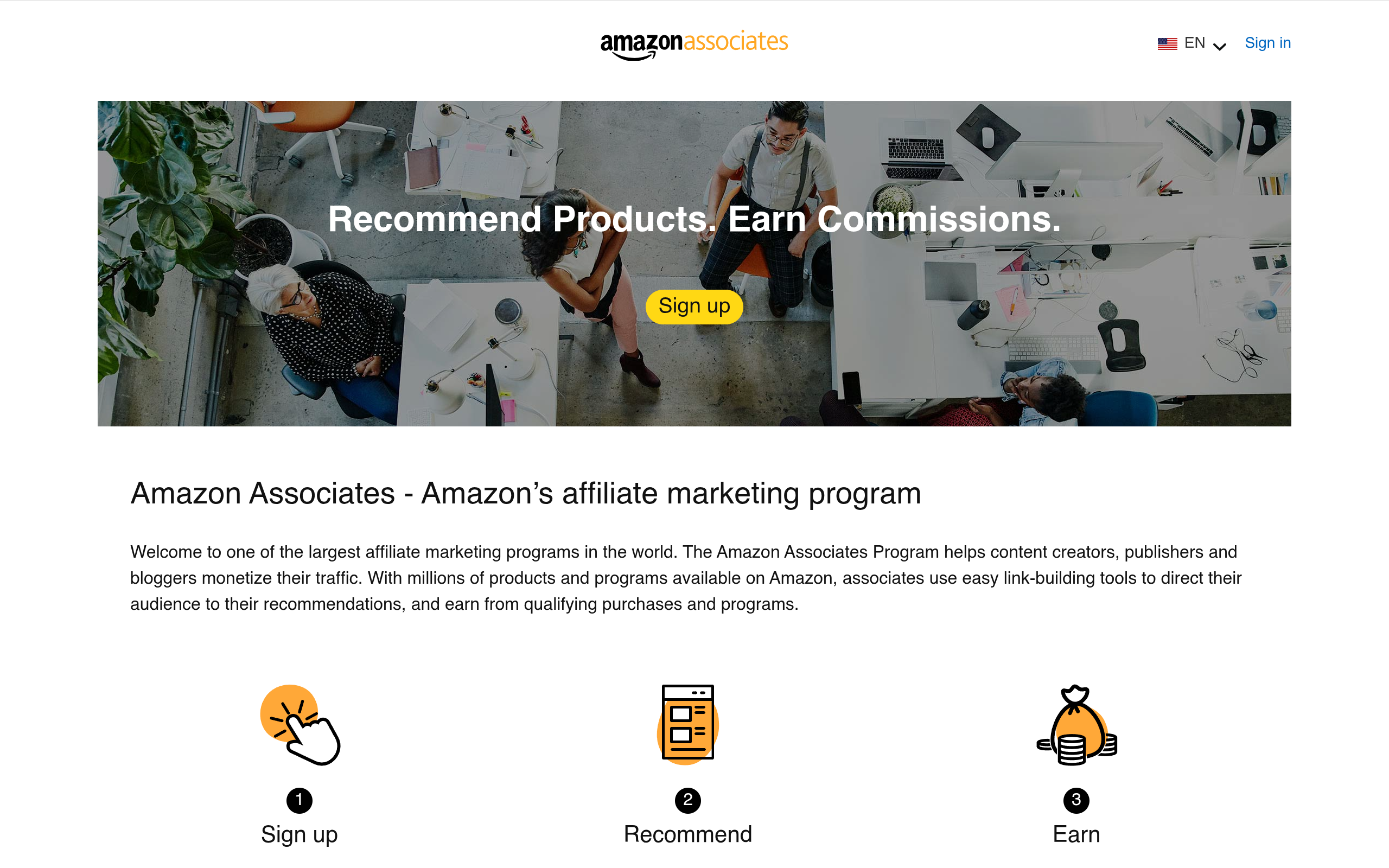
Affiliate marketing means you recommend a product and earn a commission when someone buys through your link. You do not make the product, hold stock, or handle support. The company pays you for the sale. It is one of the oldest ways to make money online — and one of the most misunderstood. Beginners think they can post links and get rich. In reality, affiliate marketing only pays when people trust your recommendation, and trust takes time to build.
Rates vary enormously. Amazon Associates, the biggest program, pays roughly 1% to 4% per sale depending on the category — so a $50 product earns you about $0.50 to $2. Software and service programs pay far more: VPNs, hosting, and online tools often pay 20% to 40% per sale, and some pay a fixed amount per signup. For example, the NordVPN affiliate program pays 40% on a new customer sale through Impact, and our own Best VPN Services in 2026 guide uses it. The catch is always the same: you need traffic first. A blog post, a YouTube video, or a Pinterest account that people already visit. Without traffic, affiliate links earn zero.
How to start honestly: pick products you have actually used, write or record a real review with both good and bad points, and always disclose that your link is an affiliate link. Readers can tell a fake review in seconds, and both Google and the affiliate programs can ban you for hiding it. Start with one program — Amazon Associates is the easiest to join — and add better-paying programs only after you have traffic. Most beginners earn $0 to $50 a month at first. A site with steady traffic can earn a few hundred a month, and the top affiliate sites earn thousands — but those sites took years to build.
People who already have — or are willing to build — a blog, a channel, or a social media audience.
Free to join Amazon Associates and most affiliate programs. You earn only when someone buys through your link.
- No product, no stock, no customer support — the company handles everything
- Free to join most programs, including Amazon Associates and Impact
- Commissions from about 1% to 40% per sale, depending on the program
- One good article or video can earn commissions for months or years
- Works best together with a blog, a YouTube channel, or Pinterest
- Pick ONE product you have actually used and can honestly recommend.
- Join its affiliate program — start with Amazon Associates for easy approval, then add higher-paying programs later.
- Write a real review or make a video: what it does, what is good, what is not, and who should buy it.
- Put your affiliate link in the review and write clearly that it is an affiliate link.
- Share the review on Google, YouTube, and Pinterest, and update it when the product or price changes.
7. Making Money with AI Tools
AI tools are not a way to make money by themselves. No AI tool pays you for using it. What AI tools do is make the other six methods faster: they help you write a first draft, design a thumbnail, edit a video, or answer a client faster. Think of AI as a helper that saves you hours, not as a business on its own. Anyone who sells you a course that says "AI will earn for you while you sleep" is selling the course, not the method.
The honest way to use AI to earn is simple. If you freelance, use AI to draft, then check every fact and rewrite in your own words before you send it to a client — clients pay for checked, useful work, not copied text. If you make videos, use AI to write scripts and make captions, then add your own ideas and voice. If you sell digital products, use AI to make first drafts of planners and templates, then fix the design yourself. Our full guide, How to Make Money with AI Tools in 2026, covers 12 ideas in detail — freelance writing, design, video editing, faceless YouTube, blogging, digital products, and more — all with free AI tools for each one. Read it after this guide if you want the AI side in full.
How to Spot a Money-Making Scam
Scams are the biggest risk in this topic. The US Federal Trade Commission warns about business-opportunity scams that promise big income for little work and ask for money upfront. Here are the red flags. If you see even one of them, walk away.
They ask you to pay to start. Real employers and real platforms never ask you to pay a "registration fee", a "training fee", or a "deposit" to unlock a job. Fiverr, Upwork, Preply, Etsy, and YouTube are all free to join. Any "job" that needs your money first is not a job.
They guarantee income. "Guaranteed $100 a day", "earn $500 a week from your phone", "no experience needed, $2,000 a month". No honest business can guarantee your income. Your earnings depend on your skill, your effort, and your market. A guarantee is a lie by design.
They show rented cars, fake screenshots, and countdown timers. Screenshots of bank balances and dashboards are easy to fake. A countdown timer that resets when you refresh the page is a pressure trick, not a real deadline. Real businesses do not need to rush you into paying.
They ask for your passwords, bank login, or a payment to "verify" yourself. No platform asks for your bank password or a payment to verify your account. Never share login details, one-time codes, or card details with someone who contacted you about a job.
They pay you to do almost nothing. "Watch ads and earn $50 an hour", "like videos and earn $200 a day", "repost this link and get paid". If the pay is far above the work, the money comes from the next person they recruit — and that is a pyramid scheme, not a job. It collapses, and the last people in lose everything.
If you are unsure about an offer, search the company name plus the word "scam" or "review" before you pay or sign up. And remember the simplest test: if it sounds too good to be true, it is.
Common Mistakes to Avoid
Trying five methods at once. One week of freelancing, one week of YouTube, one week of dropshipping, and you have made no progress in any of them. Pick one method and give it 30 days of real focus before you judge it.
Buying a course before earning a dollar. You do not need a $99 course to start any method in this guide. Free YouTube tutorials and the platforms' own help pages teach you everything you need to begin. Buy a course only after you have earned your first money and know exactly what skill you are missing.
Copying AI text and selling it as your own work. Clients can tell, search engines can tell, and platforms can ban you for it. Use AI for a first draft, then check facts, fix mistakes, and add your own knowledge. Your judgement is the product.
Quitting in week two. Almost nobody earns real money in the first two weeks. Freelancers need reviews, YouTubers need watch time, and shops need listings. The people who earn are usually the ones who kept going when the first month paid almost nothing.
Forgetting the fees and the tax. Fiverr takes 20%, Upwork takes 10%, Preply takes up to 33%, and Etsy takes about 10%. Price your work with the fee already counted. And keep a record of what you earn — in most countries, online income is taxable income, even if it is small.
Frequently Asked Questions
1. Can I really make money online without any investment?
Yes. Every method in this guide costs $0 to start: Fiverr, Upwork, YouTube, Preply, and Gumroad are all free to join. The platforms take a cut of what you earn instead of charging you upfront. You need time and a skill, not money. The only thing you should never pay for at the start is a "course" or a "registration fee" that promises to unlock earnings.
2. How much money can a beginner make online in the first month?
Most beginners earn little or nothing in the first month, and that is normal. A realistic first-month range for a freelancer with one skill is roughly $50 to $300 after platform fees. YouTube, affiliate marketing, and digital products usually earn $0 in month one. Anyone who promises you a fixed amount in your first month is not being honest with you.
3. What is the fastest way to make money online?
Freelancing on Fiverr or Upwork is the fastest honest way, because buyers are already on those platforms. If you have a skill today, you can list a gig today and get your first order in 1 to 4 weeks. Tutoring is also fast once you get students. YouTube, blogging, and affiliate marketing are slow — plan for 3 to 6 months.
4. Is making money online a scam?
Making money online itself is not a scam — millions of people earn real money freelancing, teaching, creating videos, and selling products. But this topic has more scams than almost any other. The scams are easy to spot: they ask for upfront payment, guarantee income like "$100 a day", or pay you for doing almost nothing. Real methods need a skill, an audience, or a product.
5. How much does YouTube pay per 1,000 views?
It varies widely by topic and country. Long videos often earn roughly $1 to $10 per 1,000 views, and finance and business topics pay the most. Shorts pay far less per view — only a few cents per 1,000 views — because they earn from a shared ad pool. That is why Shorts creators earn more from affiliate links, sponsorships, and their own products than from ads alone.
6. Do I need to show my face to make money on YouTube?
No. Faceless channels work well: stickman animations, screen recordings, voiceover videos, and stock footage with a script. You still need original content that passes YouTube's review — re-uploading other people's videos will get your channel rejected from the Partner Program. Our guide How to Make Faceless YouTube Videos with AI in 2026 shows how to start one.
7. Can I make money online as a student or from Pakistan or India?
Yes. Fiverr, Upwork, YouTube, Preply, Etsy, and Gumroad all accept sellers from Pakistan, India, Bangladesh, and most other countries. The main limits are payment methods: PayPal does not work in Pakistan, so sellers there usually withdraw through Payoneer or a bank transfer. Check each platform's payout options for your country before you start.
8. How long does it take to make $1,000 a month online?
For most beginners, 6 to 12 months of steady work on one method. Freelancers who build reviews can reach it faster; YouTubers and affiliate marketers usually take longer. There is no fixed timeline, because it depends on your skill, your niche, and how many hours you put in. Anyone who promises $1,000 a month in 30 days is selling you something, not teaching you something.
Related Guides


Final Thoughts
After comparing every method, our honest answer is this: the best way to make money online in 2026 is freelancing on Fiverr or Upwork. It is the fastest way to your first real payment, it needs no audience and no money to start, and it teaches you the one skill every other method needs — doing good work for a real client. Start with one skill, price your first jobs low, collect 10 good reviews, and raise your prices from there.
If you like making videos more than serving clients, pick YouTube and Shorts — but go in with your eyes open. You need 1,000 subscribers and 4,000 watch hours or 10 million Shorts views to earn from ads, and from 1 February 2027 the bar doubles for new applicants. Start now, post 3 to 5 Shorts a week, and add affiliate links early so you earn before ads do.
Whatever you pick, remember the three rules from this guide. One: pick one method and give it 30 to 90 days — trying five at once earns nothing. Two: never pay upfront to unlock a job, and never trust a guaranteed income. Three: start free, and spend money only after you have earned your first money. Making money online is real, but it is a skill and a habit, not a secret. Pick one method today, and start.