
Disclosure: AI Tricks is reader-supported. This guide contains an affiliate link to MuleRun. If you sign up through our link, we may earn a commission at no extra cost to you. It does not change our review or the price you pay.
A normal AI chatbot answers your question and stops. You ask, it answers, and the conversation ends. That is fine for a quick question, but it does not help when the job takes hours: researching a market, comparing fifty products, analysing a stock, or building a presentation from ten sources.
MuleRun works differently. It is an AI agent, not a chatbot. You give it a job, and it works on its own computer — a dedicated cloud machine provided by Alibaba Cloud — until the job is done. It can open web pages, read documents, run programs, and save files to its own Drive. And because the computer is in the cloud, the agent keeps working even when you close your laptop and go to sleep. You come back in the morning, and the work is waiting for you.
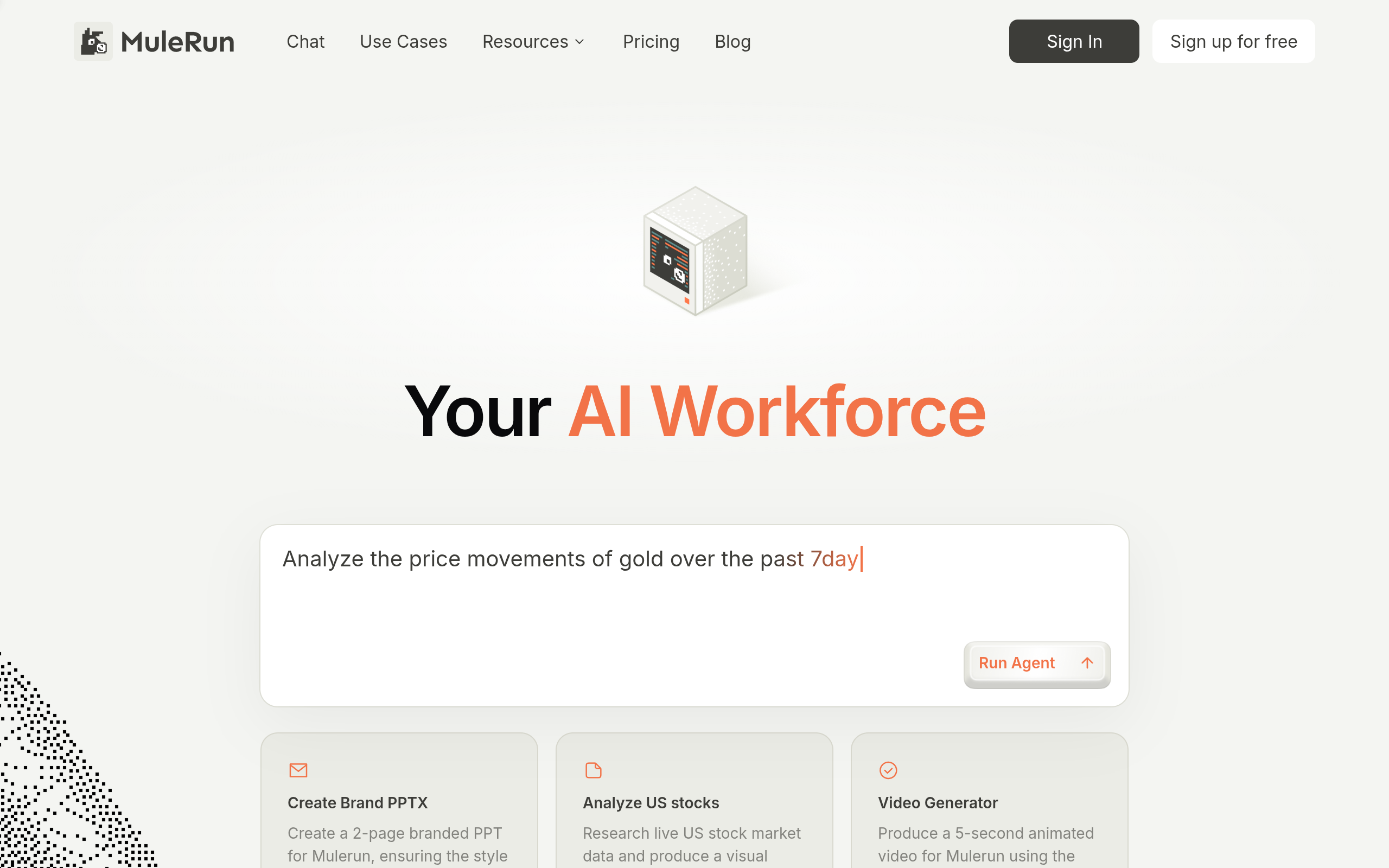
The home page at mulerun.com says it simply: "Your AI Workforce." The examples on the page show the kind of jobs it handles: analyse the price movements of gold over the past seven days, create a branded PowerPoint for MuleRun, analyse US stocks and produce a visual report, or produce a five-second animated video. These are multi-step jobs that take a human hours — and the agent does them in the background.
In this guide, we explain what MuleRun is, what each feature does, the real pricing and free-plan limits, and how to use it step by step. We also compare it with ChatGPT, Manus, and other AI agents, so you can see which assistant fits your work. Prices change often, so always check the official MuleRun pricing page before you buy.
 Try MuleRun Free — Sign Up for Free →
In This Guide
- 1. What is MuleRun?
- MuleRun Plans at a Glance
- Key Features
- MuleRun Pricing
- How to Use MuleRun
- MuleRun vs Alternatives
- MuleRun for Everyday Jobs
- What MuleRun Cannot Do
- Pros and Cons
- Who Should Use MuleRun
- Frequently Asked Questions
- Final Thoughts
What is MuleRun?
MuleRun is an AI agent platform from Intelligent Cloud Computing (Singapore) Pte Ltd, running on Alibaba Cloud. It gives you an AI agent that works on a dedicated cloud computer — a virtual machine that is always on, always connected, and always ready to work. You describe a job in the chat, and the agent plans the steps, uses the computer to do them, and shows you the result.
The difference between an agent and a chatbot is the computer. A chatbot lives in a chat window and can only answer with words. MuleRun's agent has a real computer: it can open a browser, visit websites, download files, open spreadsheets, write documents, run code, and save results to a Drive. When you ask it to analyse the price of gold over seven days, it does not just tell you the answer — it fetches the data, makes a chart, and saves a report you can download.
The agent works in the background. You can start a long research job, close the tab, and come back later. The cloud computer keeps running, and the agent keeps working. You can also run several tasks at once on the paid plans, so one agent researches a market while another builds a presentation.
MuleRun is made for people whose work takes hours of research and preparation: analysts, marketers, founders, students, freelancers, and small teams. If your job is answering one question, a chatbot is faster. If your job is a project — research, analysis, a document, a presentation — an agent saves the hours you would spend doing it by hand. If you need a report by tomorrow morning and you do not want to work all night, MuleRun is built for that.
Start Free on MuleRun — Get 500 Credits →
MuleRun Plans at a Glance
MuleRun sells plans by credits and by computer power. Every plan gives you a monthly credit balance, and the paid plans add a dedicated virtual machine — your own cloud computer that is always on. Credits cost $1 for 100 credits, and each job uses credits based on how much work it takes. One warning: the pricing page defaults to the annual view, which shows a 20 percent discount. The monthly prices below are the standard monthly rates, and the yearly prices are what you pay when you choose annual billing. Here is the comparison.
| Plan | Price | Credits | Cloud computer | Best for |
|---|---|---|---|---|
| Free | $0 | 500 signup credits + 200 bonus credits a day | No dedicated VM | Testing MuleRun |
| Plus | $20/month ($16/month billed yearly, $192/year) | 2,000 credits/month | 2 cores, 4 GB RAM, 40 GB disk | Weekly users |
| Super | $40/month ($32/month billed yearly, $384/year) | 4,500 credits/month | 4 cores, 8 GB RAM | Daily users and small teams |
| Pro | $200/month ($160/month billed yearly, $1,920/year) | 23,000 credits/month | 8 cores, 16 GB RAM, 1 TB Drive | Heavy professional use |
The free plan is more useful than most free plans, because the 200 bonus credits a day add up to about 6,000 credits a month if you use the platform every day. The limits are the missing virtual machine, only 5 pages of work, 10 GB of Drive storage, and 10 tasks at once. Plus adds the dedicated VM, 100 GB of Drive, and unlimited parallel tasks. Super doubles the computer power and more than doubles the credits. Pro is for professionals who run big jobs every day: 23,000 credits a month, a powerful 8-core machine, and 1 TB of Drive. Team and Enterprise plans are custom — contact MuleRun for a price.
Key Features
Always-On AI Agent
The core feature is the agent itself: an AI worker that takes a job and does it on its own, step by step. You describe the goal in plain words, and the agent plans the work, uses the browser and the computer to do it, and reports back with files. A job can take minutes or hours, and the agent keeps working in the background while you do other things. This is the difference between asking a question and hiring a worker: the chatbot answers, the agent delivers.
Best for: Research, analysis, and reports that take hours of manual work.
Free plan: The free plan includes the agent, with 500 signup credits plus 200 bonus credits a day. Long jobs may need a paid plan.
How to Use: Write the job as a clear goal with the result you want: "Analyse the price movements of gold over the past 7 days and make a one-page visual report." Start the task, and check the progress while the agent works. Review the result before you use it — the agent can make mistakes, and a quick check saves embarrassment.
Dedicated Cloud Computer
Paid plans include a dedicated virtual machine — your own cloud computer that is always on. The Plus plan gives you 2 cores, 4 GB of RAM, and a 40 GB disk. Super gives you 4 cores and 8 GB of RAM. Pro gives you 8 cores, 16 GB of RAM, and a 1 TB Drive. The computer runs your agent's work: browsing, downloading, spreadsheets, documents, and code. Because it is always on, a long job keeps running even when your own computer is off, and you can start a job at night and find the result in the morning.
Best for: Long jobs, overnight research, and work that needs a computer running all the time.
Free plan: The free plan has no dedicated VM — the agent works on shared capacity, and long jobs may be slower or limited.
How to Use: On a paid plan, start a job and let it run. Check the Drive for the files the agent saves. Keep your Drive tidy — delete old reports so you always know which file is the latest.
Research and Analysis
MuleRun's agent can research a topic across the web and turn the findings into an analysis. It can compare products, track prices, read market reports, and summarise what it finds. The home page examples show the pattern: analyse US stock market data and produce a visual report, or analyse gold prices over seven days. The agent does not just list links — it reads the pages, pulls out the numbers, and builds a report with charts and tables.
Best for: Market research, competitor checks, stock analysis, and price tracking.
Free plan: Small research jobs work on the free plan. Big research with many sources needs more credits.
How to Use: Tell the agent exactly what to research and what the report should contain: the topic, the time period, the sources to prefer, and the format. Ask for a table when you want numbers, and a summary when you want the story.
Presentations and Documents
The agent can build presentations and documents from your brief. Give it a topic and a style, and it makes a branded PowerPoint with slides, text, and images. It can also write reports, summaries, and proposals. The home page example is a branded two-page PPT for MuleRun itself, with the style matched to the brand. For a founder, a student, or a freelancer, this turns a day of slide-making into an hour of reviewing.
Best for: Pitch decks, class presentations, client proposals, and weekly reports.
Free plan: One short presentation works on the free plan. A long deck with many slides needs more credits.
How to Use: Write the brief with the audience, the message, and the number of slides. Review the outline first, then let the agent build the deck. Fix the wording and the pictures yourself — the AI can invent numbers, so check every figure against your source.
Parallel Tasks
Paid plans let you run unlimited tasks at the same time. One agent can research a market while another builds a presentation and a third analyses a spreadsheet. This is how a small team gets the output of a bigger team: the agents work in parallel, and you review the results one by one. The free plan allows up to 10 tasks at once, which is already generous, but the paid plans remove the limit entirely.
Best for: Busy weeks, product launches, and anyone who juggles several projects at once.
Free plan: Up to 10 tasks at once on the free plan.
How to Use: Start the long jobs first, then the short ones. Give each task a clear name so you know which result belongs to which job. Review the results in order of importance — the most important job first.
Drive Storage
Every MuleRun account includes Drive storage for the files the agent makes: reports, presentations, spreadsheets, and images. The free plan gives you 10 GB. Plus gives you 100 GB. Pro gives you 1 TB. The Drive is where your results live, so you can download them, share them, or open them in another tool. Keeping your files in one place also means you can ask the agent to work on a file it made earlier — "update last week's report with this week's numbers" — without uploading anything again.
Best for: Storing reports, reusing files, and working on the same project over several days.
Free plan: 10 GB of Drive on the free plan.
How to Use: Name your files clearly when you download them, and delete old versions so you never send a client the wrong file. Ask the agent to update an existing file instead of making a new one when the job is a revision.
Chat Interface
Everything in MuleRun starts in the chat. You type the job in plain words, the agent asks questions if something is unclear, and you can change the plan while it works. The chat is the control room: you can see what the agent is doing, what it has found, and what it will do next. If the agent goes in the wrong direction, you can correct it mid-task instead of waiting for a bad result. The interface is simple on purpose — one chat box, one job at a time, and a clear result at the end.
Best for: Beginners and anyone who wants to control an agent without learning a new tool.
Free plan: The full chat interface is available on the free plan.
How to Use: Write the job in one paragraph: the goal, the audience, the format, and the deadline. If the agent asks a question, answer it clearly — a good answer now saves a bad result later.
MuleRun Pricing
MuleRun's pricing is clear and public, which is a pleasant change after tools that hide their prices. The free plan costs $0: 500 signup credits, plus 200 bonus credits every day, with no dedicated virtual machine, 5 pages of work, 10 GB of Drive, and up to 10 tasks at once. If you use the platform every day, the daily bonus alone is about 6,000 credits a month — enough for regular small jobs.
Plus costs $20 a month, or $16 a month when billed yearly ($192 a year). It gives you 2,000 credits a month, a dedicated VM with 2 cores, 4 GB of RAM, and a 40 GB disk, 100 GB of Drive, and unlimited parallel tasks. Super costs $40 a month, or $32 a month billed yearly ($384 a year), with 4,500 credits a month and a 4-core, 8 GB VM. Pro costs $200 a month, or $160 a month billed yearly ($1,920 a year), with 23,000 credits a month, an 8-core, 16 GB VM, and 1 TB of Drive.
Two warnings. First, the pricing page defaults to the annual view, which shows the 20 percent discount. The monthly price is higher: Plus is $20 a month, not $16, if you pay month by month. Always check which billing period is selected before you pay. Second, credits cost $1 for 100 credits, so a credit is worth one cent. A job that uses 500 credits costs about $5 in credit value. Watch your credit use for the first month, and you will quickly learn which jobs are cheap and which are expensive.
Which plan should you buy? Start free. Use the daily bonus for two weeks and count the credits you actually use. If you run out every day, Plus is the right next step — it adds the dedicated VM, which is the real upgrade, not just the credits. If Plus runs out too, Super doubles the computer and more than doubles the credits. Pro is for professionals who run big jobs every day. Most people will be happy on Plus.
How to Use MuleRun
You do not need technical skills to use MuleRun. Follow these steps for your first job, and the same flow works for every job after it.
Step 1: Sign up free. Open mulerun.com and create your free account. You get 500 signup credits and 200 bonus credits a day. No credit card is needed to start.
Step 2: Pick a small first job. Choose a job with a clear result: "Analyse the price of gold over the past 7 days and make a one-page visual report." A small job teaches you how the agent works without wasting credits.
Step 3: Write a clear brief. Tell the agent the goal, the audience, the format, and the deadline in one paragraph. The clearer the brief, the better the result. Vague briefs make vague results.
Step 4: Let the agent work. Start the task and watch the progress. The agent plans the steps, browses the web, and builds the result. You can do other work while it runs.
Step 5: Review the result. Read the report, check the numbers, and open the files in the Drive. If something is wrong, tell the agent what to fix — "the gold price for Tuesday is wrong, check again" — and let it correct the result.
Step 6: Download and use it. Download the files you need, share them with your team or your client, and save the brief that worked. A good brief is reusable — the next job starts from a brief that already works.
Step 7: Scale up. When the free credits run out every day, upgrade to Plus. The dedicated VM and the 2,000 monthly credits are the real step up, and the unlimited parallel tasks let you run several jobs at once.
MuleRun vs Alternatives
MuleRun is not the only AI agent. Here is how it compares with the tools people usually consider, so you can pick the right one for your work.
| Tool | Best for | Free plan | Main weakness |
|---|---|---|---|
| MuleRun | Always-on agent with its own cloud computer | $0, 500 credits + 200/day | No dedicated VM on the free plan |
| ChatGPT | Fast answers, writing, and brainstorming | Free tier with limits | Chatbot, not an agent — it does not work for hours on its own |
| Manus | General AI agent for research and documents | Free credits to start | Credits run out fast on long jobs |
| Claude | Long writing, analysis, and coding help | Free tier with limits | Chatbot, not an always-on agent with a computer |
| Perplexity | Research with cited sources | Free searches daily | Research answers, not full projects with files |
ChatGPT is the fastest tool for a question, a draft, or a brainstorm — but it stops when the answer is written. It does not keep working for hours, and it does not have its own computer. Manus is the closest rival to MuleRun: a real general agent that plans and executes multi-step jobs. The difference is the cloud computer — MuleRun's dedicated VM is always on, and its pricing is clear and public. Claude is the strongest writer and analyst in a chat, but it is a chatbot, not an agent with a computer. Perplexity is the best research tool for a quick answer with sources, but it gives you an answer, not a finished project with files.
MuleRun wins when the job is a project that takes hours and needs a computer: research, a report, a presentation, or an analysis that must be ready by morning. It wins on the free plan too — 200 credits a day is generous, and the dedicated VM on Plus is a real upgrade. It loses when you only need a quick answer, a draft, or a brainstorm — in that case, ChatGPT or Claude is faster and simpler.
MuleRun for Everyday Jobs
Research a market overnight. A founder asks MuleRun to research five competitors before a Monday meeting: prices, features, reviews, and weaknesses. The agent works overnight on the cloud computer, and the report is in the Drive on Monday morning.
Analyse stocks every week. An investor asks for a weekly report on five stocks: price movements, news, and a simple chart. The same brief runs every week, and the report is ready to read with coffee.
Make a client presentation in an hour. A freelancer gets a brief at noon and a deadline at 3 pm. The agent builds the deck, the freelancer fixes the wording and checks the numbers, and the presentation is sent on time.
Track prices and products. A shop owner asks the agent to compare fifty suppliers for one product, list the prices, and flag the cheapest three. The agent reads the pages, builds the table, and saves it as a spreadsheet.
Prepare a study report. A student asks MuleRun to research a topic, summarise ten sources, and make a study document with the key points. The student reads the document, checks the sources, and writes the assignment from it — the agent does the reading, the student does the thinking.
What MuleRun Cannot Do
MuleRun is a strong agent, but it has limits you should know before you trust it with important work. First, it cannot check facts for you. The agent can read the wrong page, trust an outdated source, or invent a number that looks right. Always check the key numbers in a report against a source you trust, especially prices, dates, and statistics.
Second, it cannot do work that needs your accounts, your passwords, or your private data. Never give an agent your passwords, your bank details, or access to accounts you cannot afford to lose. The agent works on its own cloud computer, and you should keep your private accounts separate.
Third, it cannot make decisions for you. The agent can research, analyse, and recommend, but the decision is yours. A stock report is not investment advice. A market analysis is not a business plan. Use the agent's work as input, not as an answer.
Fourth, the free plan has no dedicated VM, so long jobs may be slower or limited. If a job is urgent and big, the free plan may not finish it in time. That is what the paid plans are for — the dedicated computer is the difference between a test and a tool you can rely on.
Pros and Cons
Pros:
- Always-on AI agent with its own dedicated cloud computer on paid plans
- Works in the background — start a job at night, find the result in the morning
- Generous free plan: 500 signup credits plus 200 bonus credits a day
- Clear public pricing, with a 20 percent discount on yearly billing
- Research, analysis, presentations, and documents in one chat
- Unlimited parallel tasks on paid plans
Cons:
- No dedicated VM on the free plan — long jobs may be slow
- Can make factual mistakes — every report needs a human check
- Credits cost $1 per 100, so big jobs can use credits fast
- Pricing page defaults to the annual view, which can confuse buyers
- Needs clear briefs — vague instructions make vague results
Who Should Use MuleRun
MuleRun fits people whose work is a project, not a question. If you research markets, analyse data, write reports, or build presentations every week, MuleRun saves the hours you spend doing it by hand. It fits founders who need a report by morning, analysts who track prices and competitors, freelancers who deliver client work on a deadline, and students who need to research a topic properly.
MuleRun is not the right choice if you only need quick answers, drafts, or brainstorming — a chatbot is faster and simpler for that. It is not the right choice if you need a tool that works offline, because MuleRun runs in the cloud. And it is not the right choice if you are not willing to check the agent's work, because an unchecked report with a wrong number is worse than no report at all.
MuleRun Free Workflow
You can get real value from MuleRun without paying. Sign up free and use the daily 200 bonus credits for small jobs. On Monday, research one topic and save the report. On Tuesday, analyse one product or stock. On Wednesday, make a one-page document from the research. On Thursday, build a short presentation. On Friday, review the week and save the briefs that worked.
The free workflow works best when you plan the job before you start it. Write the brief on paper first: the goal, the audience, the format, and the deadline. A planned brief gives a usable result in one run. A vague brief wastes credits on a result you cannot use. Save every good brief in a document, so the next job starts from a brief that already works.
Free vs Paid
The free plan is for testing and for light use. With 500 signup credits and 200 bonus credits a day, you can run a small job every day and learn how the agent works. The limits are the missing VM, 5 pages, 10 GB of Drive, and 10 tasks at once. Plus at $20 a month is the real step up: the dedicated VM, 2,000 credits a month, 100 GB of Drive, and unlimited parallel tasks.
The honest test is simple. Use the free plan for two weeks and count the credits you use. If you run out every day, buy Plus. If Plus runs out too, buy Super. If you run big jobs every day, Pro is the right plan. Most people will be happy on Plus, and the yearly billing saves 20 percent if you are sure you will use it all year.
Common Mistakes
Writing a vague brief. The most common mistake is telling the agent "research the market" with no detail. The agent does not know your market, your audience, or your format. Write the goal, the audience, the format, and the deadline in one paragraph.
Trusting the numbers without checking. The agent can read an outdated page or invent a figure. Check the key numbers in every report before you send it to a client or a boss. One wrong price can cost you more than the time you saved.
Starting the biggest job first. Test the agent on a small job first. A small job teaches you how the agent works and how many credits it uses. A big job on day one wastes credits and teaches you nothing if the brief is wrong.
Giving the agent your passwords. Never give an agent your passwords or access to your private accounts. The agent works on its own computer — keep your accounts separate.
Forgetting the billing period. The pricing page defaults to the annual view. Plus looks like $16 a month, but that is the yearly price. Month by month, Plus is $20. Check the billing period before you pay.
Frequently Asked Questions
1. What is MuleRun?
MuleRun is an always-on AI agent that works for you on a dedicated cloud computer, provided by Alibaba Cloud. You describe a job in plain words, and the agent plans the steps, uses the computer to do them, and saves the result to its Drive. It keeps working even when your own computer is off.
2. Is MuleRun free?
Yes, the free plan costs $0 and gives you 500 signup credits plus 200 bonus credits a day, with 10 GB of Drive and up to 10 tasks at once. There is no dedicated virtual machine on the free plan.
3. How much does MuleRun cost?
Plus costs $20 a month ($16 a month billed yearly, $192 a year) with 2,000 credits a month. Super costs $40 a month ($32 billed yearly, $384 a year) with 4,500 credits. Pro costs $200 a month ($160 billed yearly, $1,920 a year) with 23,000 credits. Credits cost $1 for 100 credits.
4. What is the dedicated virtual machine?
It is your own cloud computer that is always on. Plus gives you 2 cores, 4 GB of RAM, and a 40 GB disk. Super gives you 4 cores and 8 GB of RAM. Pro gives you 8 cores, 16 GB of RAM, and a 1 TB Drive. The computer runs your agent's work, so long jobs keep running even when your own computer is off.
5. Is MuleRun the same as ChatGPT?
No. ChatGPT is a chatbot that answers questions in a chat. MuleRun is an agent with its own computer that does multi-step jobs — research, analysis, presentations — and saves the results as files. A chatbot answers; an agent delivers.
6. Can MuleRun work while my computer is off?
Yes, on the paid plans. The dedicated cloud computer is always on, so the agent keeps working after you close your laptop. On the free plan, long jobs may be slower because there is no dedicated VM.
7. Who makes MuleRun?
MuleRun is provided by Intelligent Cloud Computing (Singapore) Pte Ltd, and it runs on Alibaba Cloud.
8. Can I trust the agent's research?
Use it as a starting point, not as a final answer. The agent can read outdated sources or invent numbers. Always check the key figures against a source you trust before you use a report for a client, a boss, or a public post.
Related Guides


Open MuleRun Free — Start Your First Task →
Final Thoughts
MuleRun is one of the most practical AI agents of 2026 because it solves the real problem: work takes hours, and you do not have hours. An agent with its own cloud computer does the research, builds the report, and saves the files while you do other work. The free plan is generous enough to test it properly, and the paid plans are clear and fairly priced — Plus at $20 a month is a reasonable price for a worker that never sleeps.
It is not perfect. The free plan has no dedicated computer, the agent can make factual mistakes, and a vague brief makes a vague result. But those are problems you control: write a clear brief, check the numbers, and upgrade when the free credits run out. Start free, give it one real job — a report you actually need — and judge the result. If the report is good enough to use, MuleRun is worth a paid month. If it needs heavy fixing, you have lost nothing but an hour — and you have learned exactly what an agent can and cannot do for you.
Either way, you now know exactly what MuleRun does, what it costs, and who it is for. Try the free plan, run one real job, and decide from the result — not from the promise.